Heads up: if you sign up for Syllaby or OpusClip through our links, we may earn a commission. It costs you nothing, and some tools come with free trials or perks. The list is ordered by job, not by commission. Read the affiliate disclosure
How to launch a faceless YouTube channel with AI: the full Syllaby strategy
Pick one narrow niche, plan 30 days of topics, let Syllaby write the scripts and make the faceless Shorts in one consistent style, upload your own images for the key scenes, and schedule a week at a time. Review every Sunday and make more of what works.
This guide follows Casey Watkins, an internet marketer since 2008, whose long videos took days to make and got little traction. He joined Syllaby at the end of July and took part in its August 30-day challenge. Syllaby’s case study reports:
His rebranded One Piece Facts and Fun channel, created in January 2020 and gone dormant, went from 6 to 135 subscribers, with over 100,000 views and 715 hours of watch time in one month. (Syllaby case study: Casey Watkins)
His AI channel, created in June 2024, grew from 21 to 48 subscribers in just over a month, with 152 videos made in Syllaby, most of the growth from Shorts. (Syllaby case study: Casey Watkins)
After custom image uploads arrived, one channel went from about 700 views a day to nearly 2,000. (Syllaby case study: Casey Watkins)
Syllaby’s case studies page also lists a TikTok creator reported reaching 10,000 followers and 1 million views in a month, and a senior loan officer reported reaching 3,000 TikTok followers and 52,000 likes in weeks (Syllaby case studies page). These are views and followers only; no income figures are reported here.
The pattern: one niche, Shorts every day, a consistent look, and your own images where it counts. Below is the full strategy: 3 tools, 8 steps, 8 prompts ready to copy.
What is the 8-step strategy?
STEP 1 · ChatGPT
Pick one narrow niche per channel
What to do
Choose one topic you can make 30 videos about without running dry. One channel, one niche.
Why it works
Casey Watkins, an internet marketer since 2008, ended up running separate channels for separate niches: an AI channel and a One Piece facts channel (Syllaby case study: Casey Watkins). A narrow niche tells YouTube and viewers exactly what the channel is.
How to set it up
List 3 topics you know or enjoy.
Run the prompt below for each one.
Pick the niche with the longest list of specific, repeatable video ideas.
Copy-paste prompt (any chat AI)
I want to start a faceless YouTube Shorts channel. My candidate topics are: [topic 1], [topic 2], [topic 3]. For each one, tell me: who watches it, 5 example Short titles, whether I could make 30 videos without repeating myself, and what visuals would work without showing a face. Then recommend one niche and explain why in 3 sentences.
STEP 2 · ChatGPT
Start fresh, or revive a channel you already own
What to do
If you have a quiet old channel, rebrand it to the new niche instead of starting from zero.
Why it works
Casey’s One Piece Facts and Fun channel was created in January 2020 and had gone dormant. After he rebranded it and started posting Syllaby videos, the case study reports it went from 6 to 135 subscribers, with over 100,000 views and 715 hours of watch time in one month (Syllaby case study: Casey Watkins).
How to set it up
Rename the channel to match the niche.
Rewrite the description and banner text with the prompt below.
Hide or delete old videos that don’t fit the new niche.
Copy-paste prompt
My YouTube channel is about [niche]. Write: 5 channel name ideas (max 3 words each), a channel description under 600 characters that says what viewers get and how often I post, and a one-line banner tagline. Plain words, no hype, no emojis.
STEP 3 · Syllaby
Plan 30 days of topics in one sitting
What to do
Build a 30-day topic list before you make a single video, so you never sit down to a blank page.
Why it works
Consistency is the whole game for Shorts, and a list removes the daily “what do I post?” decision. Syllaby’s Idea Discovery can also suggest topics (15 credits per idea, per its pricing FAQ).
How to set it up
Run the prompt below in ChatGPT, or use Syllaby’s Idea Discovery.
Paste the 30 topics into a sheet with a date column.
Mark 5 as “pillar” topics you can make follow-ups for.
Copy-paste prompt
Give me 30 YouTube Shorts topics for a faceless channel about [niche]. Each topic must be one specific fact, question or mini-story that can be explained in under 60 seconds. Format as a numbered list: topic, then a 6-word hook. No topic may repeat another.
STEP 4 · Syllaby
Write the scripts with a strong first line
What to do
Turn each topic into a 45 to 60-second script with Syllaby’s AI script generator. A one-minute AI script costs 1 credit.
Why it works
The first two seconds decide whether a Short gets watched. Casey reported that Syllaby let him produce three videos in about 15 minutes (Syllaby case study: Casey Watkins), which leaves time to rewrite the hooks instead of the whole script.
How to set it up
Open Syllaby and start a new faceless video.
Paste the script prompt below with your topic.
Run the hook prompt on the first line and keep the best one.
Read the script out loud once; cut any sentence you stumble on.
Copy-paste script prompt (Syllaby AI script, or any chat AI)
Write a 50-second YouTube Short script about: [topic]. Line 1 is a hook that creates curiosity in under 10 words. Then 4 to 6 short sentences, one idea each, in plain spoken English. End with one line that makes the viewer want the next video. Only include facts you are sure of; mark anything uncertain with [CHECK].
Copy-paste hook prompt
Rewrite this first line 5 ways, each under 10 words, each making a viewer stop scrolling: [paste line 1]. Avoid clickbait that the video doesn’t deliver.
STEP 5 · Syllaby
Make faceless videos in a consistent style
What to do
Pick one Syllaby art style for the whole channel and generate the faceless video from your script.
Why it works
One visual style makes the channel recognisable in the Shorts feed. Syllaby’s faceless videos cost 13 credits per minute, charged in whole minutes, and exporting a faceless video after editing is free (pricing FAQ).
How to set it up
Choose one art style (for example Comic Book or Cinematic Realism) and stick with it.
Generate, then fix any odd scenes in the video editor; the first 3 image regenerations per image are free.
Keep videos under a minute for Shorts.
STEP 6 · Syllaby
Upload your own images for the scenes that matter
What to do
Swap the most important scenes for your own images: a real photo, a screenshot, or an image you generated in your channel’s style.
Why it works
This was the turning point in Casey’s case study: when Syllaby added custom image uploads, one of his channels reportedly jumped from about 700 views a day to nearly 2,000 (Syllaby case study: Casey Watkins).
How to set it up
Pick 2 or 3 key scenes per video (the hook and the payoff).
Make or find an image you have the rights to use; the prompt below works in ChatGPT’s image tool.
Upload it in the Syllaby editor in place of the generated scene.
Copy-paste image prompt (ChatGPT images or any image AI)
Create a vertical 9:16 image in [art style] style showing: [scene description]. Bold, simple composition, one clear subject, high contrast, no text, no logos, no real people’s faces.
STEP 7 · Syllaby
Schedule a week at a time
What to do
Connect your YouTube channel and queue a week of Shorts with the bulk scheduler.
Connect your YouTube (and TikTok, if you want the same videos there).
Write titles and descriptions with the prompt below.
Schedule one Short a day at the same time.
Use the content calendar to see gaps before the week starts.
Copy-paste prompt (titles and descriptions)
For this Short script: [paste], write 3 YouTube titles under 60 characters, a 2-line description that adds one extra fact, and 5 relevant hashtags. No clickbait the video doesn’t deliver.
STEP 8 · OpusClip
Review every Sunday and double down
What to do
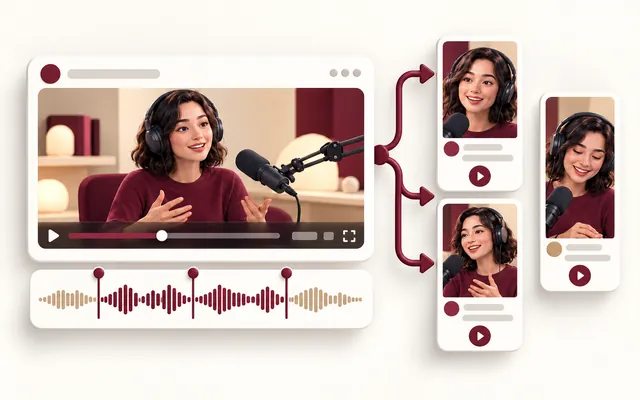
Once a week, look at which Shorts got views and make more like them. If you also have long videos, cut them into Shorts with OpusClip.
Why it works
Casey’s long-form videos took days and got little traction; the case study reports most of his growth came from Shorts (Syllaby case study: Casey Watkins). Feed the winners, drop the losers, and recycle any long video you already have.
How to set it up
In YouTube Studio, export or copy last week’s Shorts with views and average view duration.
Run the prompt below.
Optional: upload a long video to OpusClip and keep only clips that stand on their own.
Copy-paste weekly review prompt
Here are last week’s Shorts with views and average view duration: [paste]. Group them by topic and hook style. Tell me the 2 patterns that performed best, the 1 to stop, and give me 7 new topics for next week that follow the winning patterns.
Suggests ideas, writes scripts with AI, and turns them into faceless videos in a chosen art style or into avatar videos. Every plan includes the video editor, thumbnails, a content calendar and unlimited bulk scheduling to your connected social accounts.
Pricing and free access: No free plan or free trial; refund within 30 days of payment. Starter $9/month (about 7 faceless videos a month) (official pricing page, checked Oct 23, 2026).
Pros
Bulk scheduling is unlimited on every plan.
You can upload your own images into faceless videos.
Public API reference and an MCP server for Claude and ChatGPT.
Cons and limits
No free plan or free trial; you start on a paid plan (refund within 30 days of payment).
Credits run out: a faceless video costs 13 credits per minute, charged in whole minutes.
Setup gotcha: Pick one art style per channel before you batch. Switching styles mid-month makes the channel look like three channels.
Who it’s for: Anyone who wants to post Shorts daily without filming, editing or showing their face.
Results vary. The numbers here are what one creator reported in a Syllaby case study. Treat them as a possibility, not a forecast.
Shorts first. Casey’s long videos took days and got little traction; the Shorts grew the channels. Start where the feedback is fast.
Own a few images. The biggest reported jump came after he started uploading his own images. Make the hook and payoff scenes yours.
Check every fact. Fact channels live or die on trust. Mark uncertain lines [CHECK] and verify them before you schedule.
Batch, then step away. One sitting to plan, one to make, one to schedule. Daily posting without daily work.
Watch your credits. Faceless video is 13 credits per minute, rounded up to whole minutes, so a 61-second Short is billed as 2 minutes. Keep Shorts under 60 seconds.
Frequently asked questions
Can you really run a YouTube channel without showing your face?
Yes. Faceless videos use visuals like animations, stock footage, images and a voiceover instead of a presenter. Syllaby generates them from a script in a chosen art style.
What results did the Syllaby case study report?
In Syllaby’s case study, Casey Watkins reported that a dormant channel he rebranded grew from 6 to 135 subscribers, with over 100,000 views and 715 hours of watch time in one month, and that a newer AI channel grew from 21 to 48 subscribers with 152 videos. Results vary.
How much does Syllaby cost?
Starter is $9 a month (about 7 faceless videos a month), Basic $29 a month, Standard $78 a month, Premium $1,561 a year, and Done For You $699 a month, on Syllaby’s pricing page, checked October 23, 2026.
Does Syllaby have a free trial?
No. Syllaby’s pricing FAQ says there is no free trial. You can start on Starter and request a refund within 30 days of payment.
How many credits does a faceless Short use?
Faceless video costs 13 credits per minute, charged in whole minutes, so a Short under 60 seconds costs 13 credits. A one-minute AI script costs 1 credit.
Should I post Shorts or long videos?
Start with Shorts. In the case study, most of the growth came from Shorts, while long videos took days to make and got little traction. If you already have long videos, OpusClip can cut them into Shorts.
Can I use my own images in Syllaby videos?
Yes. Syllaby lets you upload custom images, and the case study reports one channel went from about 700 to nearly 2,000 views a day after that feature arrived.