
Coursera: AI research for people
Official site link, not an affiliate link. We do not have an approved referral link for Coursera.
Coursera helps you find answers you can check by this route: online courses and certificates from universities and companies, with a free join. It is best for people who want a structured course from a university or a company and can start by joining free. Team pricing is mentioned as a separate savings offer. A free plan is available.
What it does
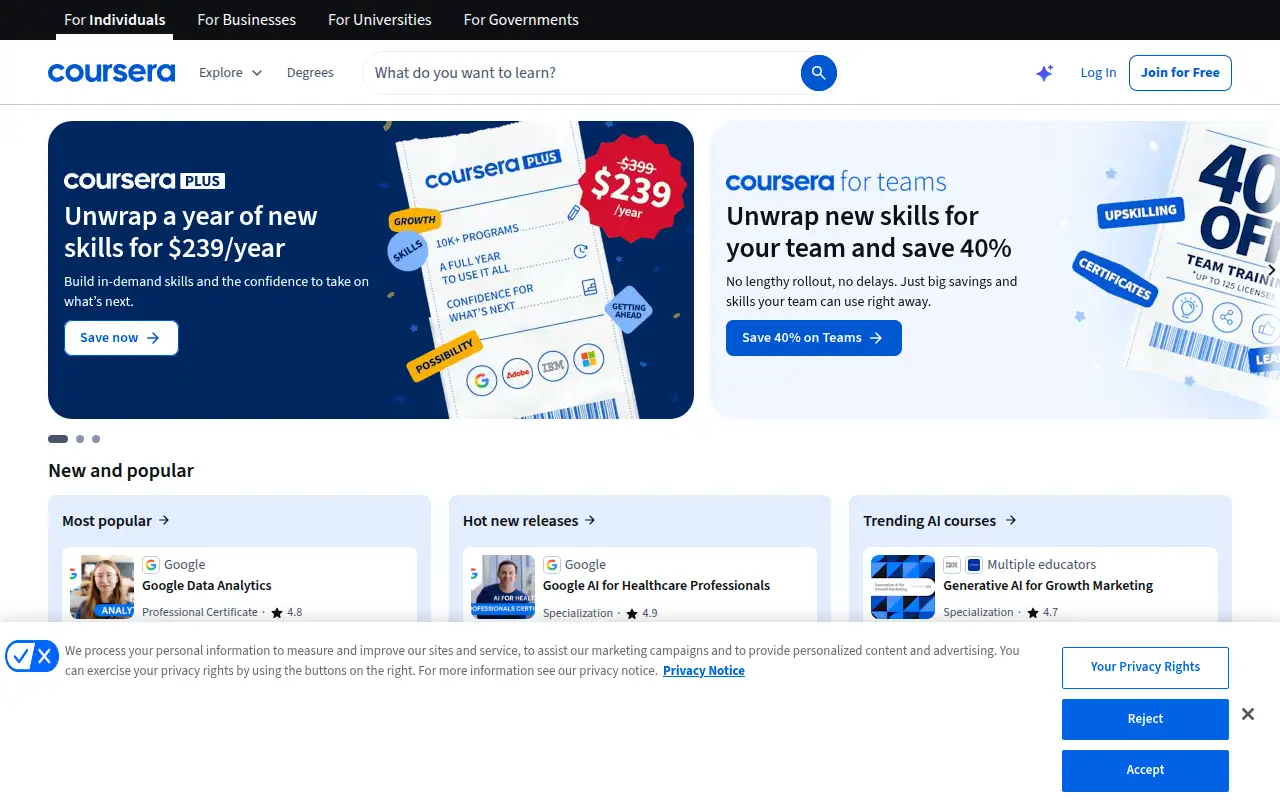
Coursera is a course catalog. The homepage highlights professional certificates and courses from schools and companies, and it invites you to join free. It also promotes a year of skills for $239. Team pricing is mentioned as a separate savings offer.
Editorial note
Coursera hosts courses and certificates from universities and companies. The homepage says you can join free, and it offers a year of skills for $239.
Who it’s for
People who want a structured course from a university or a company and can start by joining free.
Key use cases
- Research & answers
What you can do with it
Online courses and certificates from universities and companies, with a free join.
How to use Coursera: step-by-step tutorial
Five to eight steps from the account to a first useful result. Where the official guide names a control, the step uses that name. Where it does not, the step stays general.
- Open coursera.org and create an account on the free plan. You can reach a first result before you choose a paid plan.
- Open coursera.org and join. The homepage says Join for Free.
- Search for one skill you actually need, and open a course from a provider you recognize.
- Read what is included before you pay. The captured homepage does not itemize the free tier.
- Do the first lesson before you take the $239 a year offer.
- Use the year offer only if you will take more than one paid course. It is listed at $239 a year on the homepage.
These steps follow the official guide: Coursera homepage. Checked November 11, 2026.
Example inputs
Adapt these. They are examples of what to ask for, not a button name, unless the steps above already use that name.
A first request: online courses and certificates from universities and companies, with a free join. Keep it short enough to review in one pass.Name the audience, the format you need, and one fact that must stay accurate.Related
Other tools for this job
-
Ahrefs
An SEO and AI search platform for backlinks, keywords, site audits and rank tracking.
-

Apify
Runs ready-made scrapers and automations (Actors) and hands you the data as a dataset or API.
-
AskYourPDF
A chatbot you can train on PDFs and a site, with a free plan and yearly prices from $11.99 a month.
-
BlackRock AI Labs
BlackRock AI Labs
-
Brand24
A media monitoring tool that tracks mentions of your brand across social media, news and blogs.
Frequently asked questions
Is Coursera free?
The homepage says Join for Free. It also lists a paid offer of $239 a year. Checked November 11, 2026.
How much is the paid offer?
The homepage says a year of new skills for $239 a year.
What is Coursera?
A catalog of online courses and certificates from universities and companies.
What should you do before you pay?
Take the first lesson on the free join, then decide whether the $239 a year offer is worth it.
Pricing
Prices checked on the official pricing page.
- Join for Free
-
$0 to join
The homepage invites you to join for free. It does not, in the captured text, list which courses include graded work or certificates on the free join.
- Year of new skills
-
$239/year
The homepage offer, worded as a year of new skills for $239 a year. A separate full plan table was not captured.
Facts
- Access
- Ongoing free plan
- Paid plans from
- $0
- Checked
- Category
- Category: Research and knowledge tools (11 in the library).
- On the record
- Coursera’s homepage says Join for Free and also offers “a year of new skills for $239/year.”