
Vibecode: a working app from a prompt
Official site link, not an affiliate link. We do not have an approved referral link for Vibecode.
Vibecode turns a plain-language idea into a working mobile or web app. You can build a native iPhone app, a React Native app for iPhone and Android, or a web app, then share a link or submit an iOS app to the App Store. New accounts get a first build free. After that, plans start at $20 a month.
What it does
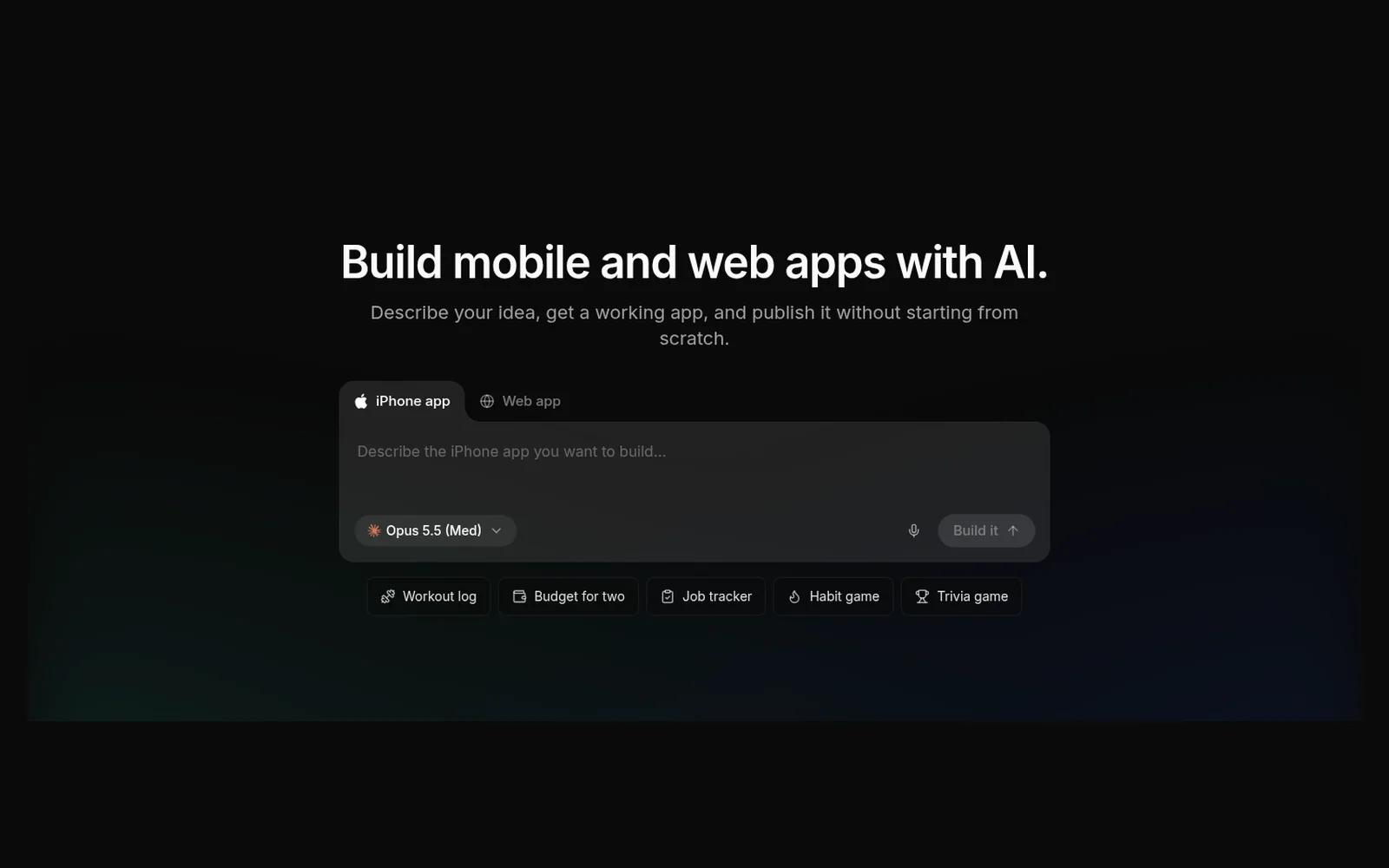
Vibecode is an AI app builder. You describe an idea, and it builds a working app. The docs say each project starts as one of three kinds: a native Swift and SwiftUI app for iPhone and iPad, a React Native and Expo app for iPhone and Android, or a web app that runs in a browser.
The same docs say native iOS apps build on cloud Macs and run in a cloud simulator streamed to your browser or phone, so you do not need a Mac. You can share the app with a link before you publish. When you are ready, you can submit to the Apple App Store from the web app. The homepage says the Vibecode app itself has been on the App Store since June 2025.
Projects can use a built-in backend: a database, sign-in, and cloud storage. AI features such as chat, image generation, maps, and weather are billed through the plan’s credits. You do not bring your own API keys for the models named on the pricing page, which are Claude, GPT, and Gemini.
You can start from a prompt or remix a template. The homepage shows a gallery of templates, including clones of well-known apps. Those are starting points to change by chatting. This page does not treat them as products we tested.
On a phone, the docs describe Pinch to Build: a long-press menu for colors, haptics, and extra features. Pro and Max also let you download the source and work in Cursor or Claude Code through Vibecode’s MCP connection. Plus does not include those.
This is a different product from Sticklight, which is also on this preview. Sticklight is the Elementor team’s builder for websites, web apps, and agency client work. Vibecode is oriented to native mobile apps and App Store publishing from a phone or a browser.
Official site: vibecodeapp.com.
Who it’s for
Vibecode fits people who want to describe a mobile or web app and get something they can publish, including first-time builders and people who want to build on an iPhone. The docs say it is also for developers who want the first version faster and then edit the code.
- A good fit: you want an iPhone app, an Android app, or a web app from a sentence, with a backend included, and you may want to submit it to the App Store without a Mac.
- A weaker fit: you are an agency building client websites and internal tools in the browser, and you want GitHub and custom domains on a web product. Sticklight is the closer match on this preview. If you already live in a code editor, Cursor is the editor in this library. Pro and Max can connect to Cursor. Plus cannot.
Key use cases
- Native iPhone apps
- iPhone and Android apps
- Web apps
- Share a link
- App Store submission
What you can do with it
- Three project types: native Swift for iPhone and iPad, React Native for iPhone and Android, or a web app.
- Prompt or template: describe the app, or remix a template by chatting.
- Phone or browser: build on an iPhone, or at vibecodeapp.com. Pinch to Build is the phone menu the docs name for design and feature changes.
- Backend: database, authentication, and cloud storage. AI integrations are billed through credits.
- Share, then publish: a link first, then Apple App Store submission from the web app.
- Source and other AI tools: downloading the source, and connecting Claude Code, Cursor, and other MCP tools, are on Pro and Max. Plus lists them as not included. Max adds 24/7 priority support. Plus and Pro do not.
How to start with Vibecode
These steps follow the homepage, the docs, and the pricing page. They use the choices those pages name.
- Open vibecodeapp.com. The homepage has a prompt, an iPhone app or Web app choice, and example ideas you can start from. New accounts get a first app build free.
- Describe the app. The docs say you choose a native Swift iOS app, a React Native app for iPhone and Android, or a web app.
- Remix a template if you want a starting point. The site offers templates to change by chatting. This page does not treat those templates as apps we tested.
- Add a database, sign-in, or cloud storage from the built-in backend. AI features are billed through the plan’s credits.
- Share a link to try it. When you are ready, the docs say you can submit an iOS app to the App Store from the web app. Downloading the source, and connecting Cursor or Claude Code, are on Pro and Max.
These steps follow official pages: vibecodeapp.com; docs; pricing. Checked November 12, 2026.
Other tools for this job
These are AI app builders already in this library or on this preview. Vibecode is the one aimed at native mobile apps and App Store publishing. Sticklight is the separate web and agency builder from the Elementor team.
-
Sticklight
Describe a website, web app, or internal tool and get working code, with hosting and a cloud backend. Built by the team behind Elementor.
-
Lovable
Build a landing page or a web app by chatting with AI.
-
Bolt
Build a website, an app, or a prototype from a prompt.
-
Hercules
Describe an app in chat and get a build that includes a database, logins, and payments.
-
Cursor
An AI code editor. Vibecode’s Pro and Max plans can connect to Cursor. Plus cannot.
Frequently asked questions
What does Vibecode build?
Vibecode turns a plain-language description into a working app. The docs say you pick a native Swift app for iPhone and iPad, a React Native app for iPhone and Android, or a web app. Each project can include a database, sign-in, and cloud storage. You can share a link, and submit an iOS app to the Apple App Store from the web app.
How is Vibecode different from Sticklight?
Vibecode is aimed at native mobile apps and App Store publishing, including building from a phone. Sticklight, also on this preview, is the Elementor team’s builder for websites, web apps, and client work in a browser. They are separate products.
Do I need a Mac?
Vibecode’s docs say no. Native iOS apps build on cloud Macs and run in a cloud simulator that streams to your browser or phone. The homepage says the Vibecode app has been on the App Store since June 2025.
Is the first build free?
Yes, for new accounts. The pricing page says the first app build is free. After that, Plus is $20 a month, Pro is $50 a month, and Max is $200 a month. Annual billing is labeled 2 months free. The page does not print a separate yearly dollar total.
Can I edit the code or use Cursor?
Plus does not include downloading the source or connecting Claude Code, Cursor, and other tools over MCP. Pro and Max include both. On a phone, the docs describe a Pinch to Build menu for design and feature changes.
Will these prices stay the same?
The pricing page, checked November 12, 2026, says the tiers are experimental and may change, as set out in Vibecode’s terms. Confirm the current figures on the pricing page before you pay.
Pricing and the free first build
Prices checked on the official pricing page. The page itself says the tiers are experimental and may change, as set out in Vibecode’s terms. The monthly prices below are what the page shows. The Annual control is labeled “2 months free.” The page does not print a yearly dollar total, so this page does not calculate one.
A first app build is free for new accounts. After that, the page lists Plus, Pro, and Max. Unused credits roll over while the plan is active. The page dates its plan list “as of October 2026.” The dollar amounts below still match that page on November 12, 2026.
- First build
-
Free for new accounts
One app build. This is not described as an ongoing free plan. Paid plans start after that.
- Plus
-
$20 a month
$20 of credits a month. Premium models, prompt building, image and sound assets, database and sign-in, and App Store submission. Not included: downloading source code, connecting Claude Code, Cursor, and other tools over MCP, unlimited MCP or long-running commands and a live server, and 24/7 priority support.
- Pro
-
$50 a month
Marked Recommended. $55 of credits a month. Includes everything in Plus, plus source download and MCP connections to Claude Code, Cursor, and other AI tools, including unlimited MCP commands, long-running commands, and live server access. 24/7 priority support is not included.
- Max
-
$200 a month
$220 of credits a month. Includes the Pro connections and source download, plus 24/7 priority support.
Facts
- Access
- First build free, then paid
- Paid plans from
- $20/mo
- Checked
- Category
- Development
- On the record
- Vibecode says a new account’s first app build is free. Plus is $20 a month, Pro is $50 a month, and Max is $200 a month. Annual billing is labeled 2 months free. The pricing page does not show a yearly dollar total.