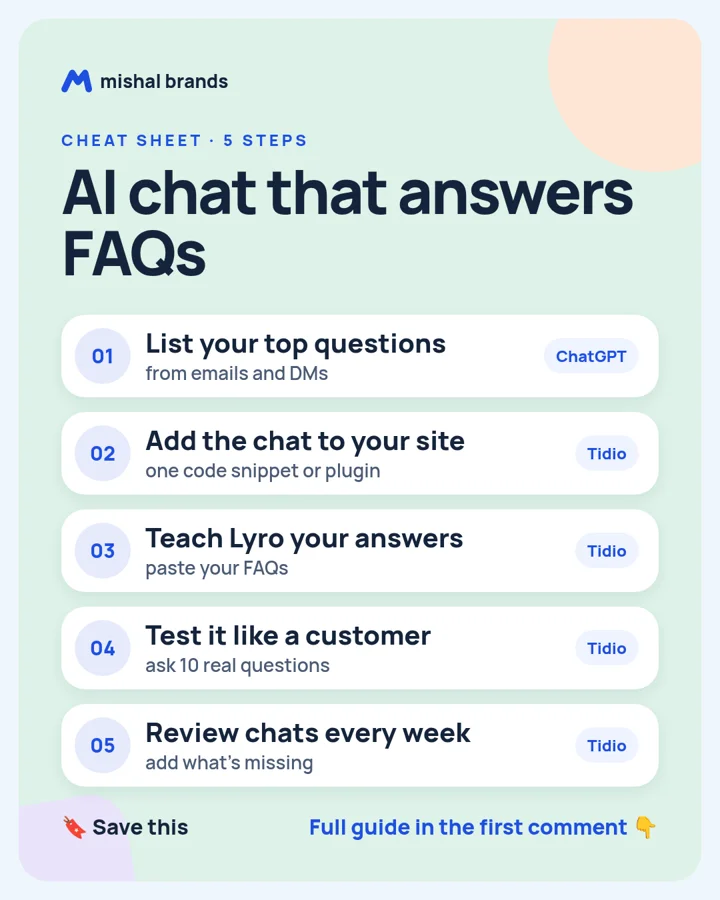
Add an AI chat that answers your FAQs: step-by-step guide
List your top questions with ChatGPT, add Tidio's chat widget to your site, teach its Lyro AI agent your answers, test it like a customer, and review missed chats every week.
Updated· By Mishal Brands Editorial
Why this works
Tidio's pricing page says its 7-day free trial needs no card, and accounts drop to the Free plan afterwards unless you upgrade.
Suggested workflow. These steps are a workflow for one person with off-the-shelf tools. We name tools as examples.
Save the cheat sheet. The full steps are below.
The steps
STEP 1 · ChatGPT
List your top questions
What to do
Paste 20 recent customer emails or DMs into ChatGPT and ask for the 15 most common questions, with a short answer for each.
Plan note: Free plan for everyone. (per its official pricing page; check before you buy).
Sign up for Tidio and add its chat widget to your site with the snippet or your platform's plugin.
Plan note: Tidio says a 7-day free trial needs no card, and accounts drop to the Free plan afterwards unless you upgrade. (per its official pricing page; check before you buy).
This is an affiliate link. If you sign up through it, we may earn a commission. It costs you nothing. Learn more
Add your questions and answers to Lyro, Tidio's AI agent, so it can answer them in chat.
Plan note: Tidio says a 7-day free trial needs no card, and accounts drop to the Free plan afterwards unless you upgrade. (per its official pricing page; check before you buy).
Tip
Use the exact words customers use in the questions.
Open your site in a private window and ask 10 real questions. Fix any answer that is wrong or vague.
Plan note: Tidio says a 7-day free trial needs no card, and accounts drop to the Free plan afterwards unless you upgrade. (per its official pricing page; check before you buy).
Tip
Ask one question it shouldn't answer and check it hands off.
Once a week, read the chats Lyro couldn't answer and add those answers.
Plan note: Tidio says a 7-day free trial needs no card, and accounts drop to the Free plan afterwards unless you upgrade. (per its official pricing page; check before you buy).
This guide is written by Mishal Brands Editorial. Plan details come from each vendor's official pricing page as listed on our tool pages. Where we are in an affiliate program, the link is marked and disclosed.
Free pack: prompts for better AI images
A short, copyable set of image prompts for product shots, portraits, thumbnails, logos, and ads. These are starting points you can adapt — not a promise of any result.