
AudioCleaner: AI voice for people cleaning up a voice recording
Official site link, not an affiliate link. We do not have an approved referral link for AudioCleaner.
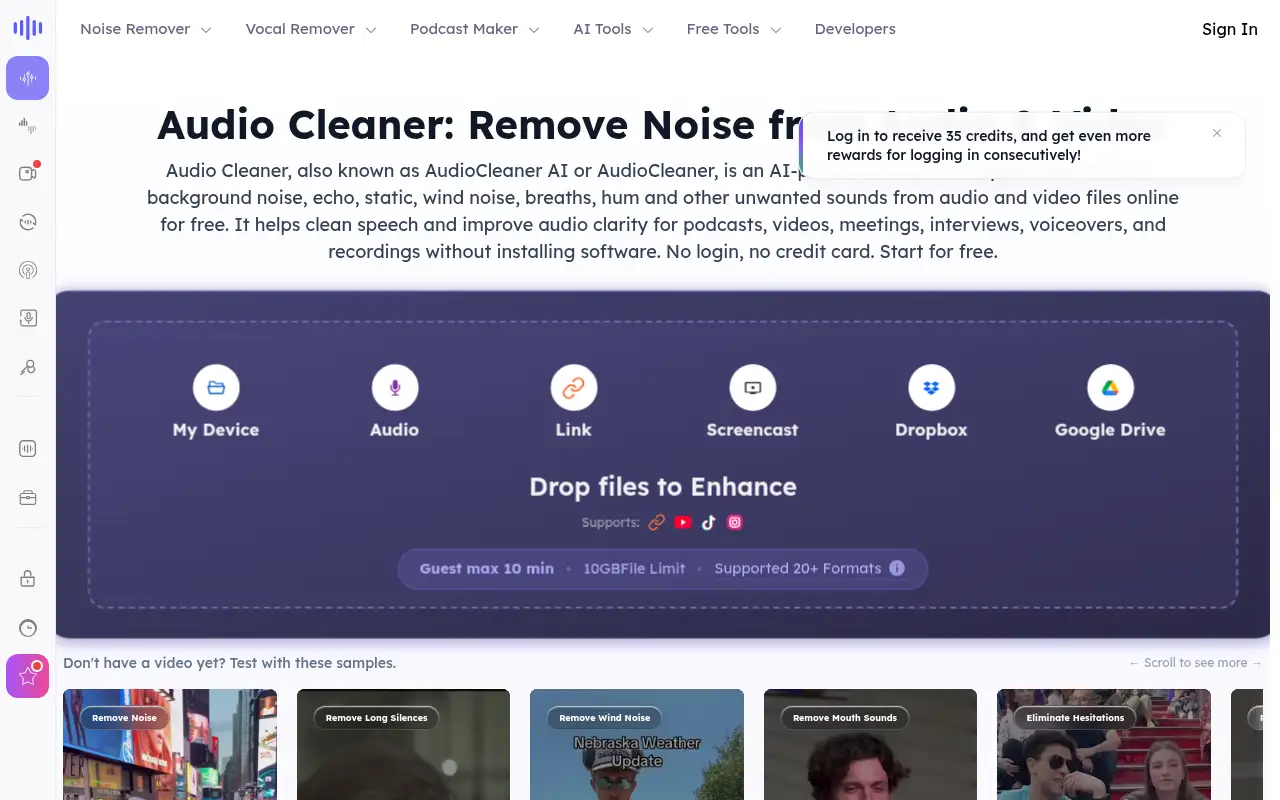
AudioCleaner helps you work with voice and audio by starting with an online tool for removing background noise, with credit subscriptions on the pricing page. It is best for people cleaning up a voice recording who will check the free online tool’s limits on the site before they subscribe. The homepage title calls the remover free and online.
What it does
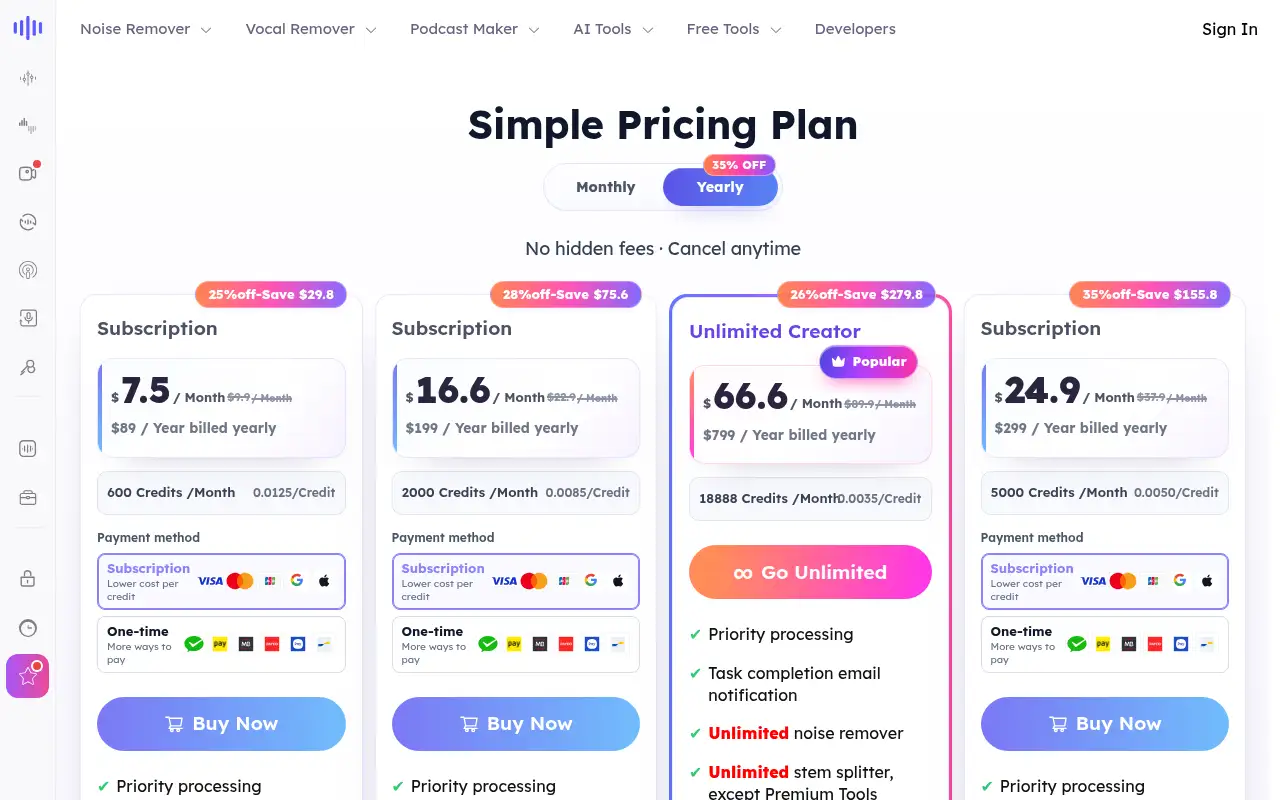
AudioCleaner is a noise-removal and voice tool. The homepage title calls the remover free and online. The pricing page sells monthly credits, starting at 600 credits for $7.50 a month on a yearly bill. Higher tiers add more credits and concurrent jobs. Because the captured table did not spell out the free cap, this page does not invent one.
Editorial note
AudioCleaner removes background noise from audio. The homepage offers a free online tool. Subscriptions on the pricing page start at $7.50 a month when billed yearly.
Who it’s for
People cleaning up a voice recording who will check the free online tool’s limits on the site before they subscribe.
Key use cases
- Voice & audio
What you can do with it
An online tool for removing background noise, with credit subscriptions on the pricing page.
How to use AudioCleaner: step-by-step tutorial
Five to eight steps from the account to a first useful result. Where the official guide names a control, the step uses that name. Where it does not, the step stays general.
- Open audiocleaner.ai and create an account. Read the plan list on the official site before you pay.
- Open audiocleaner.ai and try the online remover with a short file you are allowed to upload.
- Listen to the whole result, including the quiet parts, before you trust it.
- If you hit a limit the page enforces, open the pricing page rather than guessing the cap.
- Compare the $7.50 yearly price and the 600-credit allowance with how many minutes you actually clean.
- Subscribe only if the credit pool matches that workload.
These steps follow official guides: AudioCleaner pricing; AudioCleaner homepage. Checked November 11, 2026.
Example inputs
Adapt these. They are examples of what to ask for, not a button name, unless the steps above already use that name.
A first request: an online tool for removing background noise, with credit subscriptions on the pricing page. Keep it short enough to review in one pass.Name the audience, the format you need, and one fact that must stay accurate.Frequently asked questions
Is AudioCleaner free?
The homepage offers a free online remover. The pricing table captured on November 11, 2026 starts at a paid subscription and does not state the free cap.
How much does a subscription cost?
The first paid tier is $7.50 a month billed yearly ($89 a year) or $9.90 month to month, with 600 credits a month.
What is a credit for?
The pricing page meters the paid plans in monthly credits. It also mentions voice-changer minutes on a higher tier.
Who is it for?
People cleaning speech, podcasts, or other recordings.
Pricing
Prices checked on the official pricing page.
- Subscription
-
$7.50/month billed yearly ($89/year), or $9.90/month
600 credits a month. The page shows a 25 percent discount versus the monthly price.
- Higher credit plans
-
From $16.60/month billed yearly
The page lists 2,000 credits at $16.60 a month yearly ($199 a year) and larger pools above that.
Facts
- Access
- See official pricing
- Paid plans from
- $7.50/mo billed yearly
- Checked
- Category
- Category: Audio and voice tools (18 in the library).
- On the record
- The homepage presents a free online noise remover. The pricing page lists subscriptions from $7.50 a month billed yearly ($89 a year) with 600 credits a month. A $0 plan with a stated cap was not in the captured price table.