
DiffUI: UI designs from a prompt
Official site link, not an affiliate link. We do not have an approved referral link for DiffUI.
DiffUI turns a written prompt into UI design options for a product screen or a marketing page. You can also upload screenshots so later screens follow the same colors, type, spacing, and components. You pay per generated image. The pricing page does not list a free generation allowance.
What it does
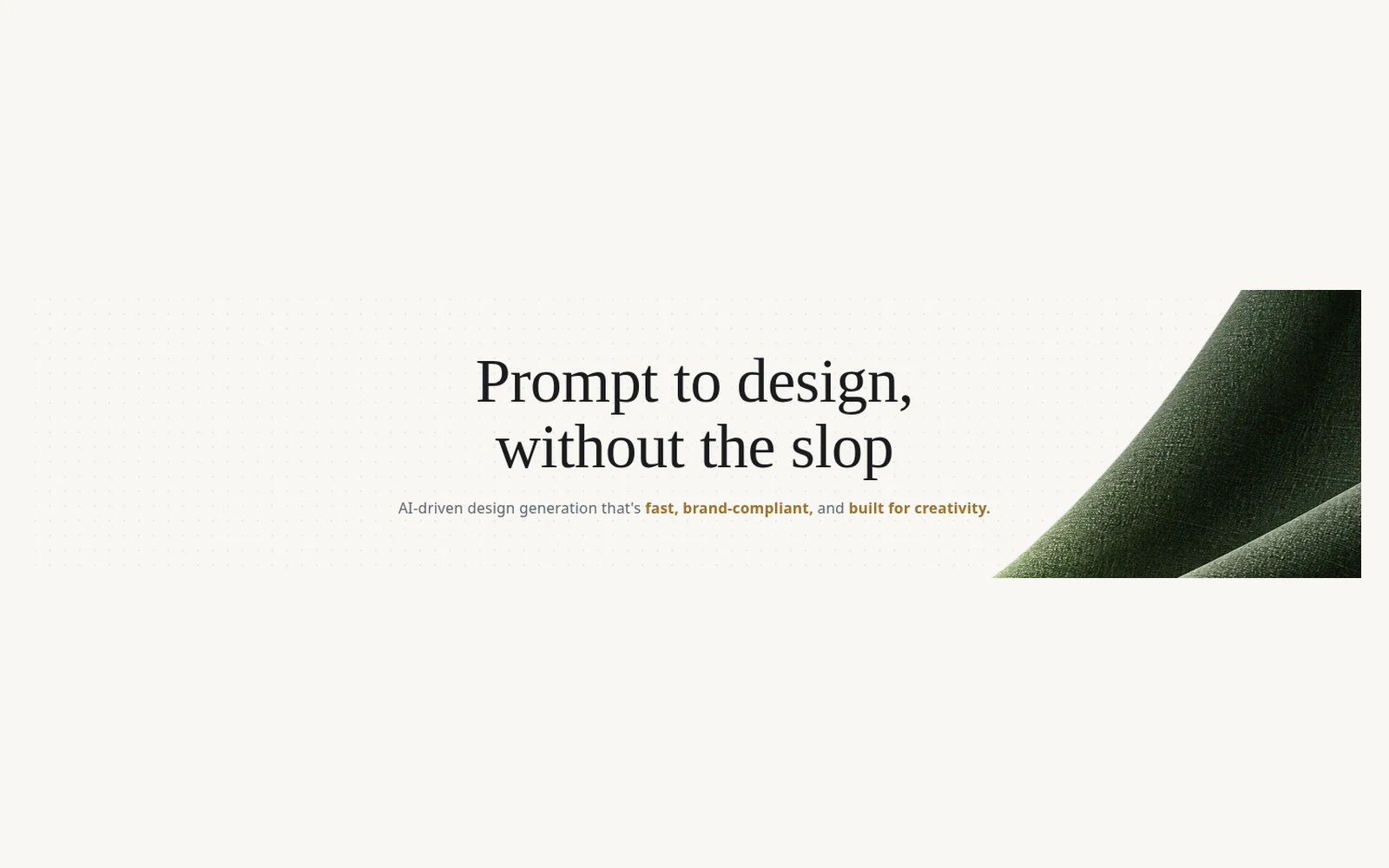
DiffUI is an AI design tool for interface directions. You describe the screen you want, and it generates design images you can compare. The homepage states that a prompt produces 9 options in about 50 seconds. That figure is the company’s claim, not a measurement from this site.
If you already have a product, you can upload screenshots. DiffUI says it reads colors, fonts, spacing, and components from those images, then generates new screens that match. The page aimed at bootstrapped app makers says one prompt can return nine distinct visual directions, and that screenshots can be used as style references.
From a chosen direction, DiffUI says it can extract a design system: colors, fonts, space, and radius become tokens, wrapped in vanilla Web Components, with no framework lock-in. It also says it can turn the designs into usable responsive code. The pricing page says that design-to-code step is free while the product is in beta, and that you pay for the images you generate.
Official site: diffui.ai.
Who it’s for
DiffUI fits product people, designers, and small teams who want several on-brand UI directions from a prompt, and who prefer to pay per image instead of adding another monthly design seat. The company also addresses bootstrapped web-app makers who want the product to look considered before they have a design department.
- A good fit: you need interface options for an app or a page, you may already have screens to match, and you want to pay only when you generate an image.
- A weaker fit: you need a shared design file, prototypes, and developer handoff in a tool the whole team already lives in. Figma is the closer match in this library for that job. If you want a published website from a visual builder, look at Framer or Webflow.
Key use cases
- UI options from a prompt
- Match an existing product
- Design tokens and components
- Designs into responsive code
What you can do with it
- Prompt to design images: describe a screen and compare the options DiffUI generates. The company states 9 options in about 50 seconds.
- Screenshot references: upload existing screens so colors, fonts, spacing, and components carry into new work.
- Design system: DiffUI says it extracts colors, fonts, space, and radius into tokens and vanilla Web Components.
- Design to code: responsive code from the designs. The pricing page says this is free during beta. Images are the paid part.
- Other generated assets: the pricing page also lists standard images, high-quality images, seamless patterns, extra PBR maps, SVGs, and background removal, each with its own per-use price.
- Teams: a shared wallet. The monthly minimum on Team and Enterprise is credit in that wallet, not a fee per seat. The pricing page says there are no seats, and no subscription on Individual.
How to start with DiffUI
These steps follow the public homepage, the bootstrappers page, and the pricing page. They use the controls those pages show.
- Open diffui.ai. The homepage has a prompt box and a Sign in / up control. DiffUI says no credit card is required to start.
- Describe the screen you want. DiffUI states that a prompt produces 9 design options in about 50 seconds. Its page for bootstrapped makers also says one prompt can return nine distinct directions.
- To stay on an existing brand, upload screenshots. DiffUI says it learns colors, fonts, spacing, and components from those images, then generates new screens that match.
- When a direction is chosen, DiffUI can extract the design system into tokens and vanilla Web Components, and turn the design into responsive code. The pricing page says that design-to-code step is free during beta.
- Read the pricing page before you generate a large set. You pay per image. Individual has no subscription and no minimum spend.
These steps follow official pages: diffui.ai; for bootstrapped makers; pricing. Checked November 12, 2026.
Other tools for this job
These are design and interface tools already in this library. DiffUI is the one that sells generated UI images one at a time. The others are editors, site builders, or prompt-to-page tools with their own plans.
-
Figma
A shared design tool for interfaces, prototypes, design systems, and handoff to developers.
-
Framer
A website builder with an AI design agent, and a free site on a Framer domain.
-

Gamma
Turn a prompt or a proposal into a deck, a document, or a website.
-
Lovable
Build a landing page or a web app by chatting, rather than by generating design images alone.
-
Canva
Templates for social posts, slides, and other design work, with AI tools on top.
Frequently asked questions
What does DiffUI do?
DiffUI turns a written prompt into UI design options. You can upload screenshots of a product you already have so new screens follow its colors, type, spacing, and components. It can also pull those choices into design tokens and vanilla Web Components, and turn a design into responsive code.
Who is DiffUI for?
Product people, designers, and small teams, including bootstrapped app makers, who want on-brand interface directions from a prompt and would rather pay per image than add another monthly design seat.
Does DiffUI have a free plan?
The pricing page does not list a free generation allowance or a $0 plan. Individual is 17¢ per design image, with no subscription and no minimum spend. Design-to-code is free during beta. DiffUI says no credit card is required to start, and you pay as you go.
Can DiffUI match a product I already have?
Yes. DiffUI says you upload existing screenshots and it reads colors, fonts, spacing, and components, then generates new screens in that same look. Its page for bootstrapped app makers also says a prompt can return nine distinct directions.
Is design-to-code included in the image price?
During beta, DiffUI says turning a design into responsive Web Components costs nothing extra. You pay for the images you generate.
What is the difference between Individual, Team, and Enterprise?
Every plan is priced per generated image. Individual is 17¢ with no subscription and no minimum. Team is 22¢, with a $50 monthly minimum that is credited to a shared team wallet rather than charged as a seat fee. Enterprise is 26¢, with a $300 monthly minimum credited the same way. The pricing page says Enterprise margins and minimums are negotiable.
Pricing
Prices checked on the official pricing page. There is no stated free generation allowance. Design-to-code is free during beta. You pay for generated images.
Every plan is priced per generated image. DiffUI says Individual pays the model cost, with a 0% margin. Team adds 30% and Enterprise adds 50% to that same rate. A team’s monthly minimum is credited to a shared wallet for members to spend on generations. It is not a seat fee. The page says there are no seats, and no subscription on Individual. Sub-cent fees are charged to the tenth of a cent, as listed.
- Individual
-
17¢ per design image
No subscription and no minimum spend. No credit card required to start. Pay as you go. Cancel anytime.
- Team
-
22¢ per design image
$50 a month minimum, credited to the shared team wallet. Not a seat fee. 30% margin on the same underlying rate.
- Enterprise
-
26¢ per design image
$300 a month minimum, credited to the team wallet. 50% margin. The pricing page says margins and minimums are negotiable by email at [email protected].
Other usage fees
The same page lists these build-asset prices for Individual, Team, and Enterprise.
- Standard image asset: 1¢, 1.3¢, and 1.5¢ per image. This is the default quality for build assets.
- High-quality image asset: 17¢, 22.1¢, and 25.5¢ per image. The page names gpt-image-2 for hero and product imagery.
- Pattern: 3¢, 3.9¢, and 4.5¢ for a seamless 1024×1024 texture.
- Extra PBR map: 1¢, 1.3¢, and 1.5¢ per map, for normal, roughness, metalness, or height.
- SVG: 2¢, 2.6¢, and 3¢, for text-to-SVG or raster-to-vector conversion.
- Background removal: 1¢, 1.3¢, and 1.5¢ per image, to cut the background from one generated asset.
Facts
- Access
- Paid per image
- Paid plans from
- 17¢ per design
- Checked
- Category
- Images & Design
- On the record
- DiffUI’s pricing page lists Individual at 17¢ per design image, with no subscription and no minimum spend. It does not list a free generation allowance. Design-to-code is free during beta.