
Meshy: AI images for makers and small studios
Official site link, not an affiliate link. We do not have an approved referral link for Meshy.
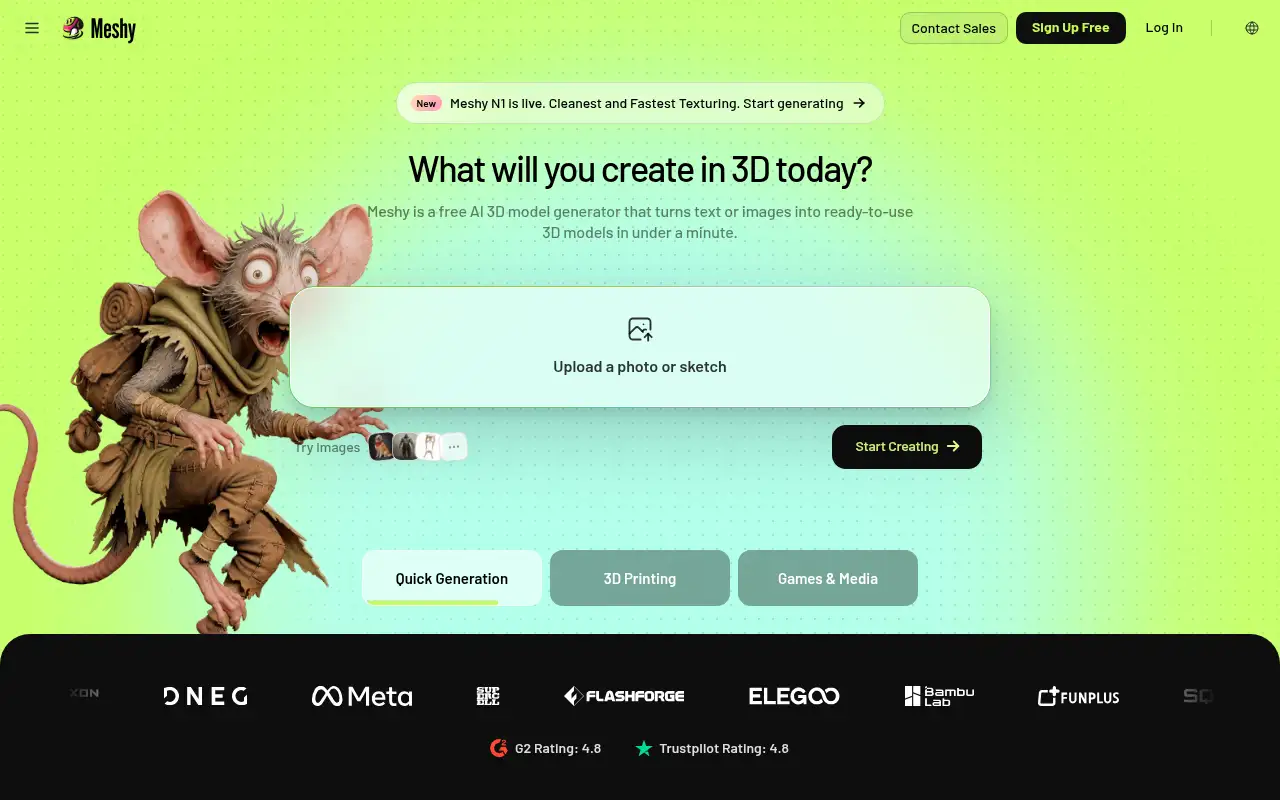
Meshy helps you create and edit images by turning text or images into 3D models, with a free monthly credit grant. It is best for makers and small studios who want a 3D asset from a prompt and can live with attribution on the free license. Free is enough for a small test and requires attribution for commercial use.
What it does
Meshy creates 3D assets and lists plugins for tools such as Blender and Unity. Free is enough for a small test and requires attribution for commercial use. Pro removes that in favor of a private commercial license and raises the credit pool. Premium and Ultra are higher monthly credit tiers. A 50 percent discount on the first month is advertised on the paid individual plans.
Editorial note
Meshy generates 3D models from text or images. Free includes 100 credits a month with no credit card. Pro is $20 a month.
Who it’s for
Makers and small studios who want a 3D asset from a prompt and can live with attribution on the free license.
Key use cases
- Images & product photos
What you can do with it
Turns text or images into 3D models, with a free monthly credit grant.
How to use Meshy: step-by-step tutorial
Five to eight steps from the account to a first useful result. Where the official guide names a control, the step uses that name. Where it does not, the step stays general.
- Open meshy.ai and create a free account. The pricing page says no credit card is needed.
- Start from a text description or an image of an object you have the right to use.
- Generate one model and look at it before you spend more credits. Free lists 100 credits and up to 10 assets.
- If you will sell or ship the model, read the license. Free is CC BY 4.0, which requires attribution. Pro lists a private commercial license.
- Upgrade to Pro at $20 a month only when the free credit pool is the limit.
These steps follow official guides: Meshy pricing; Meshy homepage. Checked November 11, 2026.
Example inputs
Adapt these. They are examples of what to ask for, not a button name, unless the steps above already use that name.
A first request: turns text or images into 3D models, with a free monthly credit grant. Keep it short enough to review in one pass.Name the audience, the format you need, and one fact that must stay accurate.Frequently asked questions
Is Meshy free?
Yes. Free needs no credit card and includes 100 monthly credits, checked November 11, 2026.
How much does Meshy cost?
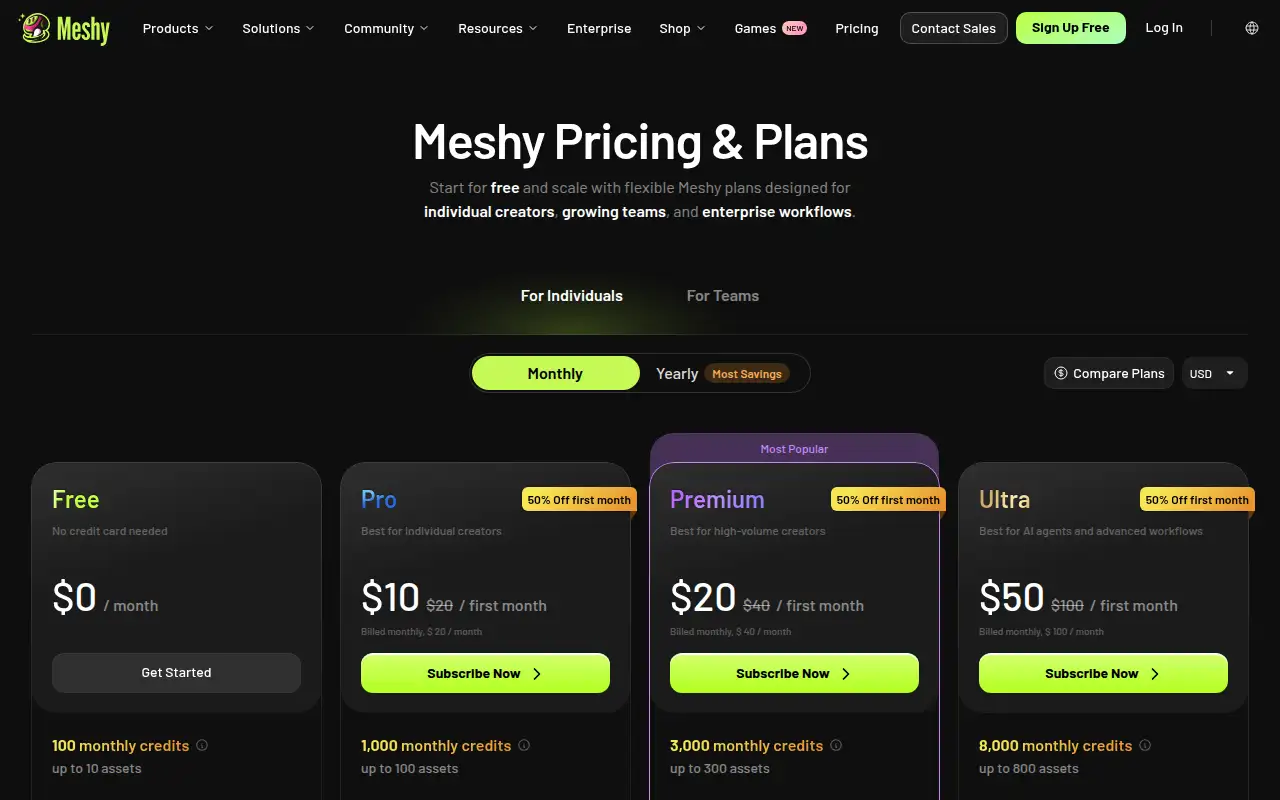
Pro is $20 a month. Premium is $40 a month. Ultra is $100 a month. A first-month discount is advertised.
Can I sell free-plan models?
The free plan lists a CC BY 4.0 license, which means commercial use with attribution. Pro lists a commercial-ready private license.
What is Meshy for?
Turning a text prompt or an image into a 3D asset.
Pricing
Prices checked on the official pricing page.
- Free
-
$0
100 monthly credits, up to 10 assets, 1 concurrent task, low queue priority, and a CC BY 4.0 license. No credit card.
- Pro
-
$20/month
The page lists $20 for the first month and $20 a month after, with 1,000 monthly credits, up to 100 assets, higher queue priority, and a commercial-ready private license.
- Premium
-
$40/month
3,000 monthly credits, up to 300 assets, and the Pro feature set. The page also lists Ultra at $100 a month.
Facts
- Access
- Ongoing free plan
- Paid plans from
- $0
- Checked
- Category
- Category: Images and design tools (47 in the library).
- On the record
- Meshy’s pricing page lists Free at no charge, with no credit card, 100 monthly credits, and up to 10 assets. Commercial use on Free requires attribution under CC BY 4.0.