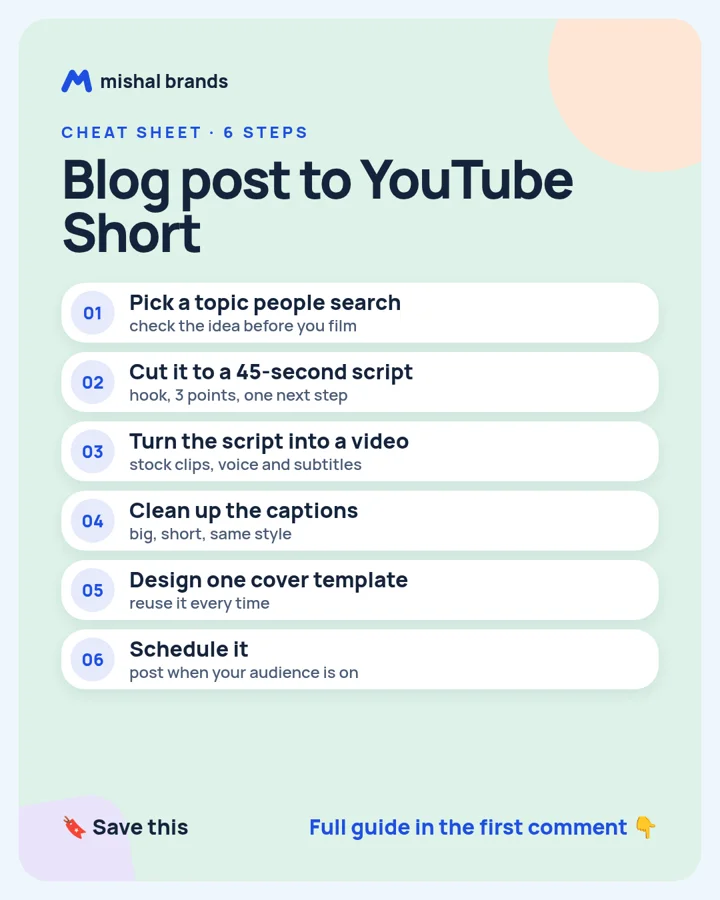
The steps
STEP 1 · vidIQPick a topic people search
What to do
Paste your blog post's main idea into vidIQ and look at related searches and video ideas. vidIQ's pricing page lists a free plan with 150 AI credits a month.
Plan note: vidIQ has a Free plan at $0 with 150 AI Credits every month. (per its official pricing page; check before you buy).
Tip
Pick the angle with a clear question in it, like 'how do I…'.
Our tool page: vidIQ.
STEP 2 · ChatGPTCut it to a 45-second script
What to do
Paste the blog post and ask for a 45-second script: a hook in the first line, three short points, one next step.
Plan note: Free plan for everyone. (per its official pricing page; check before you buy).
Tip
Read it out loud. If you run out of breath, the lines are too long.
Our tool page: ChatGPT.
STEP 3 · invideo AITurn the script into a video
What to do
Paste the script into invideo AI and ask for a vertical video. It adds stock footage, a voiceover and subtitles from a text prompt.
Plan note: A Free Plan is named in the Terms, but the pricing page lists no free plan or its renewing usage. (per its official pricing page; check before you buy).
This is an affiliate link. If you sign up through it, we may earn a commission. It costs you nothing. Learn more
Try invideo AI
Tip
Swap any stock clip that doesn't match the line it sits under.
Our tool page: invideo AI.
STEP 4 · CapCutClean up the captions
What to do
Open the export in CapCut and fix the captions: 2 to 4 words per line, one font, your brand color on the key word.
Plan note: CapCut lists a Free plan at USD 0 with free templates and basic editing tools. (per its official pricing page; check before you buy).
Tip
Check names and numbers. Auto captions get them wrong.
Our tool page: CapCut.
STEP 5 · CanvaDesign one cover template
What to do
Make one vertical cover with a big 3-word title and reuse it for every Short.
Plan note: Canva Free is US$0 for one person, with 1.6M+ templates and 5GB of cloud storage. (per its official pricing page; check before you buy).
Tip
Keep text away from the bottom, where the app buttons sit.
Our tool page: Canva.
STEP 6 · BufferSchedule it
What to do
Schedule the Short with Buffer, and add the blog link in the description.
Plan note: Buffer Free is free forever with 10 scheduled posts per channel and 1 user. (per its official pricing page; check before you buy).
Tip
One Short a day beats five in one afternoon.
Our tool page: Buffer.
Browse by category: All 48 Video tools. Every tool page lists the vendor’s own price and the date we checked it.