mishal brands

Home/Guides/ Full guide

Full guide · 4 steps

Turn phone photos into a store-ready product listing: step-by-step guide

Clean the photo in Photoroom, make 2 or 3 extra images with Canva templates, write the title, bullets and description with ChatGPT, and schedule launch posts with Buffer.

Updated· By Mishal Brands Editorial

Why this works

Photoroom's pricing page shows a free trial on its Pro plan, and Canva and ChatGPT both have free plans, so you can test this before you pay.

Suggested workflow. These steps are a workflow for one person with off-the-shelf tools. We name tools as examples.

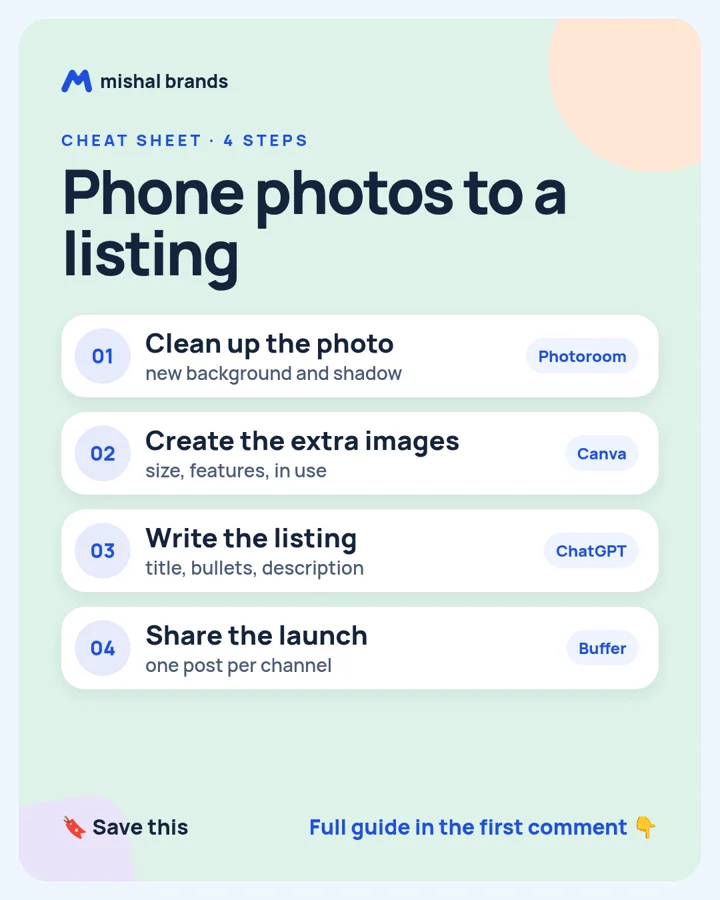
Cheat sheet: Turn phone photos into a store-ready product listing. 1 Clean up the photo. 2 Create the extra images. 3 Write the listing. 4 Share the launch
Save the cheat sheet. The full steps are below.

The steps

STEP 1 · Photoroom

Clean up the photo

What to do

Take the photo on your phone, then open it in Photoroom to remove the background and add a clean background and shadow.

Plan note: A free trial button is shown on Pro and Max; no free plan is listed. (per its official pricing page; check before you buy).

Tip

Shoot near a window. Good light still matters.

Our tool page: Photoroom.

STEP 2 · Canva

Create the extra images

What to do

Use Canva templates for 2 or 3 extra images: one with size, one with key features, one showing it in use.

Plan note: Canva Free is US$0 for one person, with 1.6M+ templates and 5GB of cloud storage. (per its official pricing page; check before you buy).

Tip

Keep text big enough to read on a phone.

Our tool page: Canva.

STEP 3 · ChatGPT

Write the listing

What to do

Give ChatGPT the product facts and ask for a title, 5 bullets and a short description in plain words.

Plan note: Free plan for everyone. (per its official pricing page; check before you buy).

Tip

Only use facts you can back up. No made-up claims.

Our tool page: ChatGPT.

STEP 4 · Buffer

Share the launch

What to do

Schedule a launch post with the best photo on each channel with Buffer.

Plan note: Buffer Free is free forever with 10 scheduled posts per channel and 1 user. (per its official pricing page; check before you buy).

Tip

Post the 'in use' image first. It gets the most attention.

Our tool page: Buffer.

Browse by category: All 47 Images and design tools. Every tool page lists the vendor’s own price and the date we checked it.

The honest part

  • Check each marketplace's photo rules before you upload.
  • AI copy can invent details. Check every claim against the real product.
  • Results vary.

Editorial note

This guide is written by Mishal Brands Editorial. Plan details come from each vendor's official pricing page as listed on our tool pages. Where we are in an affiliate program, the link is marked and disclosed.

Free pack: prompts for better AI images

A short, copyable set of image prompts for product shots, portraits, thumbnails, logos, and ads. These are starting points you can adapt — not a promise of any result.