
Cal.com: business software for small teams
Official site link, not an affiliate link. We do not have an approved referral link for Cal.com.
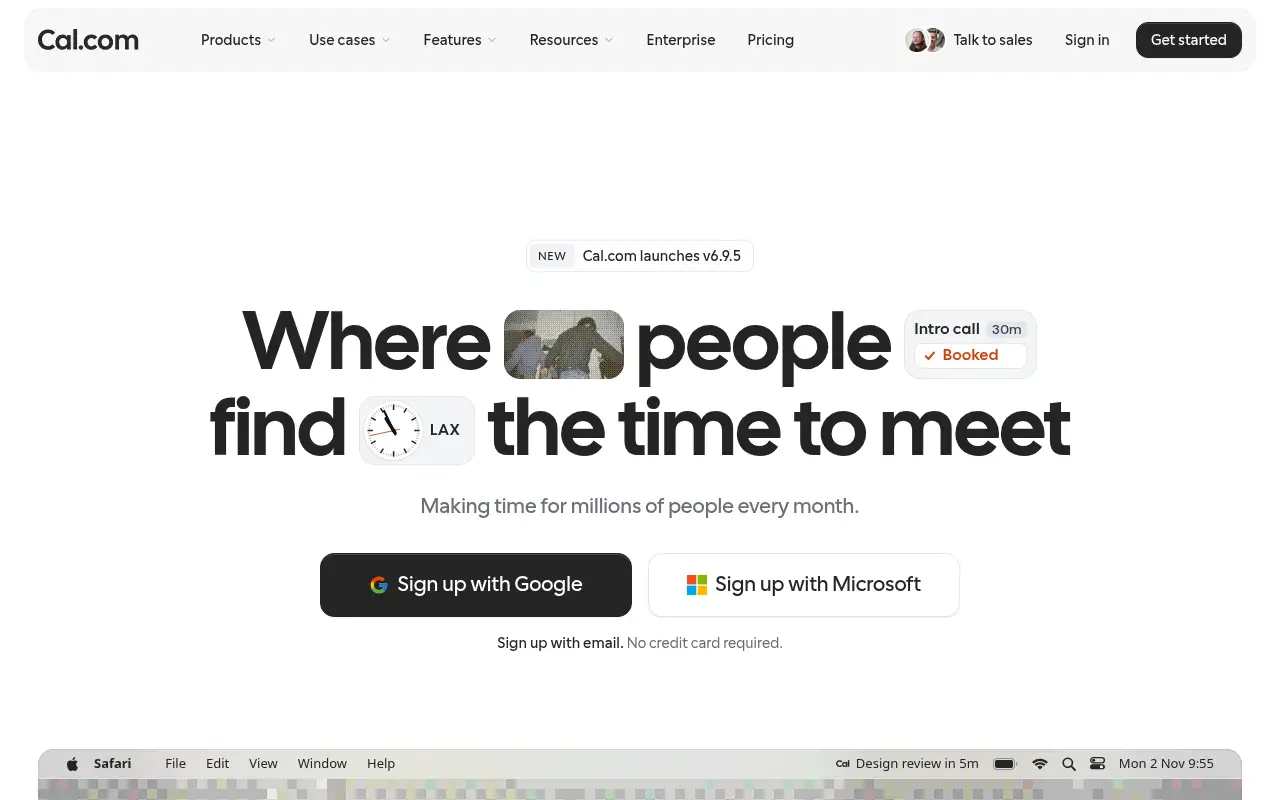
Cal.com helps you capture meetings and notes by starting with an open-source scheduling tool with booking links that show only your free times. It is best for freelancers, sales teams and support teams that book a lot of meetings. People also use it to automate repetitive work. Teams share availability, assign meetings by round-robin and route leads with forms.
What it does
- Unlimited booking links and calendar connections on the free plan
- Email and SMS notifications and reminders
- Stripe and PayPal payments at booking
- Round-robin, collective links and routing forms for teams
- Two-way Salesforce and HubSpot sync and 100+ integrations
- Calendly: popular scheduling links
- Reclaim.ai: AI calendar time blocking
- HubSpot: CRM with meeting links
Editorial note
Cal.com is a scheduling tool. You share a booking link, people pick a time that fits your real availability, and the meeting lands in everyone’s calendar. Individuals get unlimited links and calendars free, while teams add round-robin, routing forms and shared availability. It can also take Stripe and PayPal payments at booking.
Who it’s for
- Freelancers and consultants booking client calls
- Sales teams routing inbound demos to the right rep
- Teams switching from Calendly who want an open option
- Not ideal for: teams needing shared scheduling without paying; that starts on Teams.
Key use cases
- Meetings & notes
- Automate work
What you can do with it
Cal.com connects to your calendars and turns your free time into booking links. Guests choose a slot, get notified by email or SMS, and can pay with Stripe or PayPal when you charge for a session. Teams share availability, assign meetings by round-robin and route leads with forms. Cal.com syncs both ways with Salesforce and HubSpot, imports Calendly events in one click, and offers apps, a browser extension and APIs.
How to use Cal.com: step-by-step tutorial
Five to eight steps from the account to a first useful result. Where the official guide names a control, the step uses that name. Where it does not, the step stays general.
- Sign up at cal.com with your email; no credit card is needed.
- Connect your Google, Outlook or other calendar.
- Set your working hours and create an event type.
- Share your booking link or add it to your site and email signature.
- Start the Teams trial if you need round-robin or shared availability.
These steps follow the official guide: Cal.com pricing.
Frequently asked questions
What is Cal.com used for?
Sharing booking links so people can schedule meetings with you at times you are actually free, with reminders, payments and team routing.
Can Cal.com import from Calendly?
Yes. Cal.com lists a 1-click import of Calendly events on its free plan.
Does Cal.com support HIPAA?
The Organizations plan lists SOC 2, HIPAA and ISO 27001 compliance, along with SAML SSO and SCIM.
Is Cal.com free?
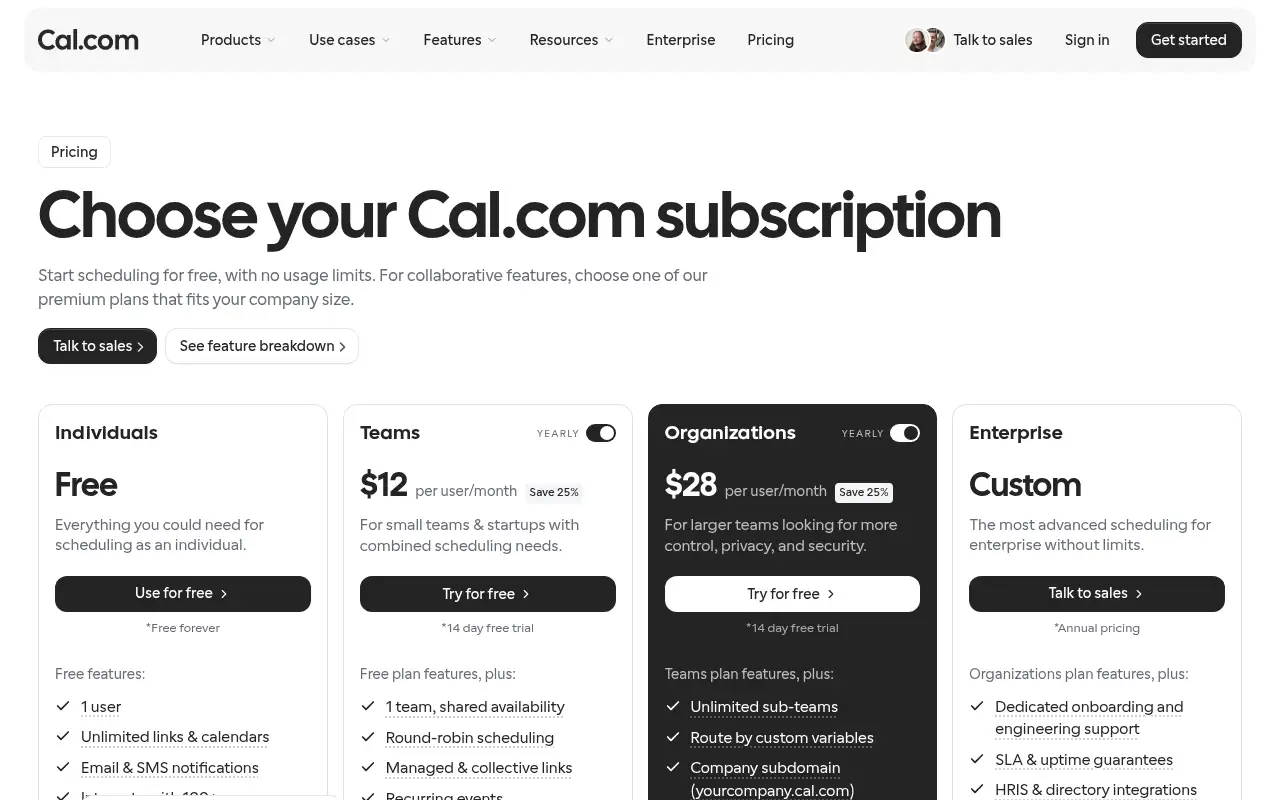
Yes, free forever for one user with unlimited links and calendars. Teams starts at $12 per user a month billed yearly.
Pricing
Prices checked on the official pricing page.
- Free
-
$0, free forever
1 user, unlimited links and calendars, email and SMS notifications, 100+ integrations, Stripe and PayPal payments
- Teams
-
$12/user/month billed yearly
Shared availability, round-robin, managed and collective links, routing forms, booking analytics, remove branding
- Organizations
-
$28/user/month billed yearly
Unlimited sub-teams, company subdomain, SAML SSO and SCIM, SOC 2, HIPAA and ISO 27001 compliance
- Enterprise
-
Custom, annual
Dedicated onboarding, SLA, HRIS integrations, dedicated database
- The free plan is single-user, and removing Cal.com branding and round-robin need a paid plan.
- Vendors change plans; confirm on the official page before you buy.
Facts
- Access
- Ongoing free plan
- Paid plans from
- $12/user/month billed yearly
- Checked
- Category
- Category: Business and productivity tools (153 in the library).
- On the record
- Cal.com is free forever for individuals: 1 user with unlimited links and calendars. Teams and Organizations have a 14-day free trial.