mishal brands

Heads up: some links are affiliate links. If you sign up through one, we may earn a commission. It costs you nothing. Read the affiliate disclosure.

Home/Guides/ Full guide

Full guide · 5 steps

Turn every meeting into a task list: step-by-step guide

Record and transcribe calls with Fireflies, pull out tasks with ChatGPT, keep them in a Notion database, block time with Reclaim, and share a 3-line recap in Slack.

Updated· By Mishal Brands Editorial

Why this works

Fireflies' pricing page lists a free-forever plan with unlimited transcription, so the hardest part of this workflow costs $0.

Suggested workflow. These steps are a workflow for one person with off-the-shelf tools. We name tools as examples.

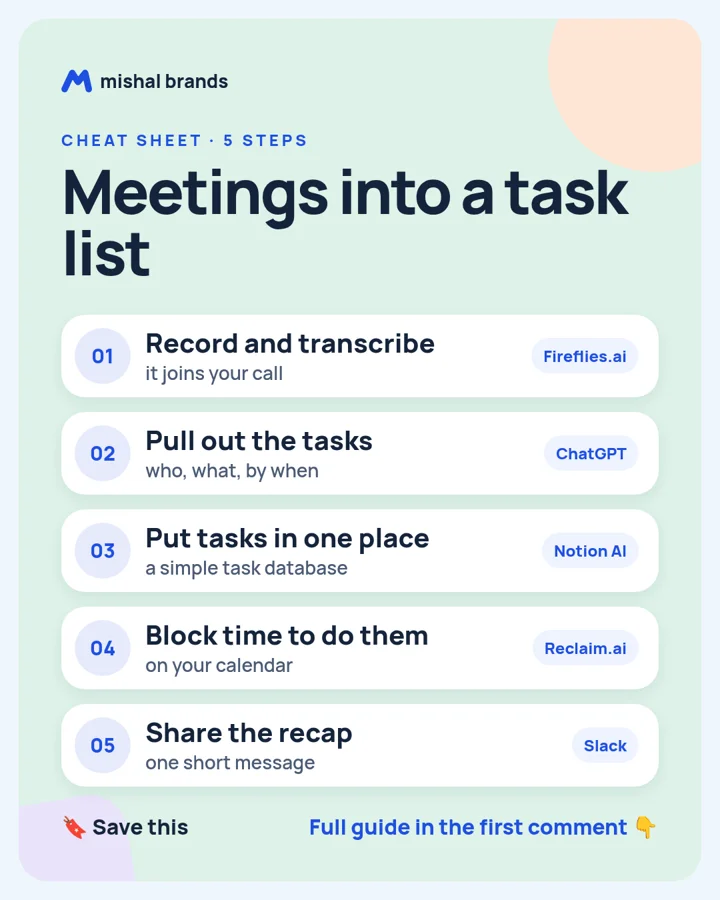
Cheat sheet: Turn every meeting into a task list. 1 Record and transcribe. 2 Pull out the tasks. 3 Put tasks in one place. 4 Block time to do them. 5 Share the recap
Save the cheat sheet. The full steps are below.

The steps

STEP 1 · Fireflies.ai

Record and transcribe

What to do

Connect your calendar to Fireflies so it joins your calls and writes the transcript.

Plan note: Free forever plan with unlimited transcription; storage is capped at 400 minutes per team. (per its official pricing page; check before you buy).

This is an affiliate link. If you sign up through it, we may earn a commission. It costs you nothing. Learn more

Try Fireflies.ai

Tip

Tell people the call is being recorded.

Our tool page: Fireflies.ai.

STEP 2 · ChatGPT

Pull out the tasks

What to do

Paste the summary and ask: list every task with an owner and a due date, and flag anything unclear.

Plan note: Free plan for everyone. (per its official pricing page; check before you buy).

Tip

Ask it to quote the line each task came from.

Our tool page: ChatGPT.

STEP 3 · Notion AI

Put tasks in one place

What to do

Paste the list into a Notion task database with owner, due date and status columns.

Plan note: Trial of Notion AI on Free and Plus; full AI is paid. (per its official pricing page; check before you buy).

Tip

Notion's pricing page lists AI as a trial on Free and Plus.

Our tool page: Notion AI.

STEP 4 · Reclaim.ai

Block time to do them

What to do

Add your tasks to Reclaim so it finds time on your calendar to do them.

Plan note: Free Lite plan with no end date for one user. (per its official pricing page; check before you buy).

Tip

Reclaim's free Lite plan covers one user.

Our tool page: Reclaim.ai.

STEP 5 · Slack

Share the recap

What to do

Post a 3-line recap in Slack: decisions, tasks with owners, next meeting.

Plan note: Slack Free is $0, free forever, with 90 days of message history and up to 10 apps. (per its official pricing page; check before you buy).

Tip

Tag owners so nobody misses their task.

Our tool page: Slack.

Browse by category: All 153 Business and productivity tools. Every tool page lists the vendor’s own price and the date we checked it.

The honest part

  • AI misses context. Read the task list before you share it.
  • Get consent before you record anyone.
  • Results vary.

Editorial note

This guide is written by Mishal Brands Editorial. Plan details come from each vendor's official pricing page as listed on our tool pages. Where we are in an affiliate program, the link is marked and disclosed.

Free pack: prompts for better AI images

A short, copyable set of image prompts for product shots, portraits, thumbnails, logos, and ads. These are starting points you can adapt — not a promise of any result.