
Autodesk Flow Studio: AI video for small teams
Official site link, not an affiliate link. We do not have an approved referral link for Autodesk Flow Studio.
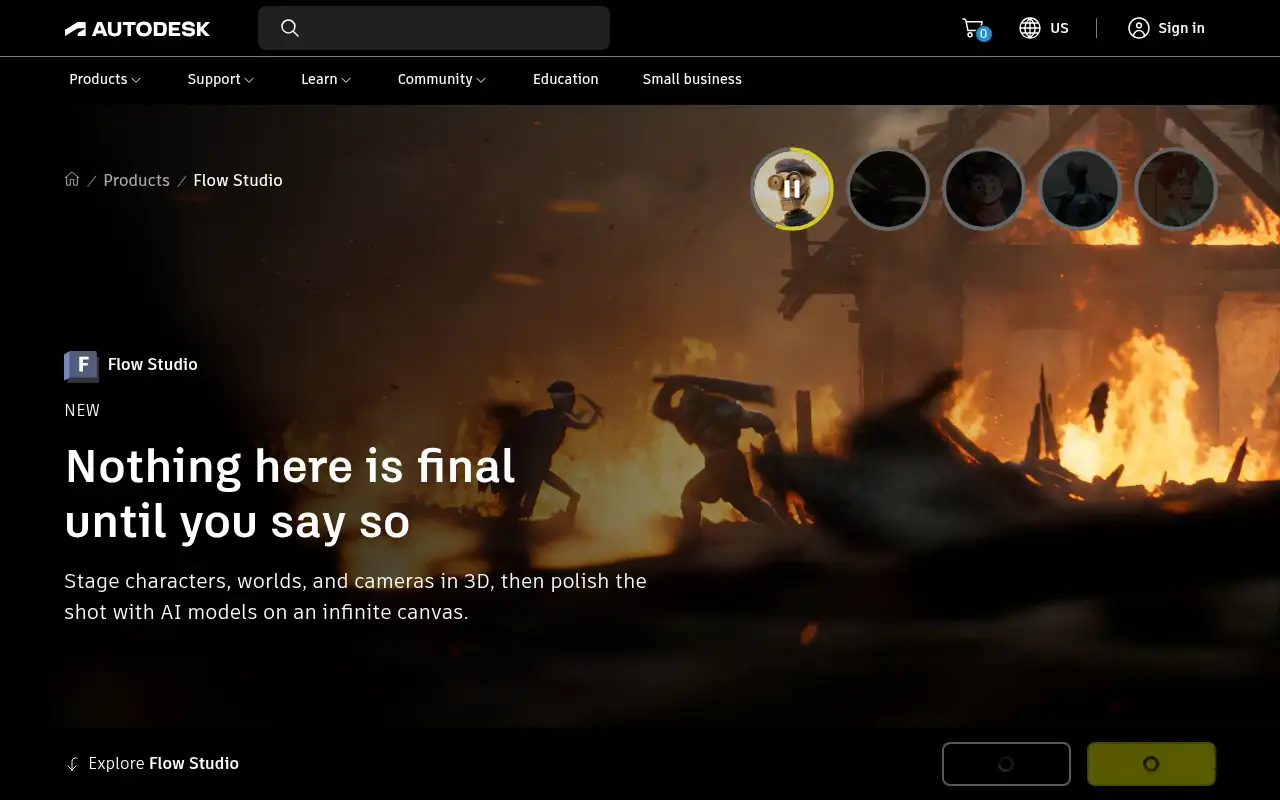
Autodesk Flow Studio helps you make and edit video by starting with a cloud AI VFX and animation tool: stage 3D characters, cameras and worlds, capture motion from video, and refine shots with AI models. It is best for indie filmmakers, animators and game creators who want 3D characters and motion capture without a studio pipeline. People also use it.
What it does
- Text or image to a rigged, animation-ready 3D character
- AI motion capture, camera tracking and clean plates from ordinary video
- Exports to Maya, Blender, Unreal Engine and USD
- An infinite canvas with several AI models in one place
- Flow Studio MCP for creating and refining 3D models inside ChatGPT
Editorial note
Autodesk Flow Studio is a cloud-based AI VFX and animation tool. You stage characters, cameras and worlds in 3D, capture an actor’s motion from ordinary footage, and refine the shot with AI models. Since November 9, 2026 it also works inside ChatGPT through Flow Studio MCP.
Who it’s for
- Indie filmmakers and YouTubers adding CG characters to live-action footage
- Animators and game creators who need quick motion capture without suits
- Product and hobby designers drafting 3D models from a sketch, including in ChatGPT
- Not ideal for: teams that need a full traditional 3D pipeline with manual rigging from the start.
Key use cases
- Video & avatars
- Images & product photos
What you can do with it
Autodesk describes Flow Studio as a cloud-based AI VFX and animation tool: a text prompt or image becomes a rigged 3D character, footage comes back with a CG character tracked, placed and lit in the frame, and mocap, camera tracking and clean plates open in Maya, Blender, Unreal or any USD tool. Its canvas brings in models such as Seedance, Gemini, Nano Banana and ElevenLabs.
How to use Autodesk Flow Studio: step-by-step tutorial
Five to eight steps from the account to a first useful result. Where the official guide names a control, the step uses that name. Where it does not, the step stays general.
- Open autodesk.com and create an account on the free plan. You can reach a first result before you choose a paid plan.
- Start on the Free plan at autodesk.com.
- Generate a character from a prompt or image, or upload a short clip of an actor.
- Let Flow Studio track the motion and place the character, then review the shot.
- Export to your 3D tool, or keep refining on the canvas.
- To work from ChatGPT, install the Autodesk Flow Studio plugin; it needs a paid plan and credits.
These steps follow the official guide: Flow Studio pricing and subscription guide (Autodesk).
Example inputs
Adapt these. They are examples of what to ask for, not a button name, unless the steps above already use that name.
A first request: a cloud AI VFX and animation tool: stage 3D characters, cameras and worlds, capture motion from video, and refine shots with AI models. Keep it short enough to review in one pass.Name the audience, the format you need, and one fact that must stay accurate.Frequently asked questions
What is Autodesk Flow Studio?
A cloud-based AI VFX and animation tool from Autodesk for staging 3D characters, cameras and worlds, capturing motion from footage and refining shots with AI models.
Can I use Flow Studio inside ChatGPT?
Yes. Since November 9, 2026, the Flow Studio plugin brings text-to-3D, image-to-3D, remesh and retexture into ChatGPT. Autodesk says it requires a paid Flow Studio plan and credits.
Is Autodesk Flow Studio free?
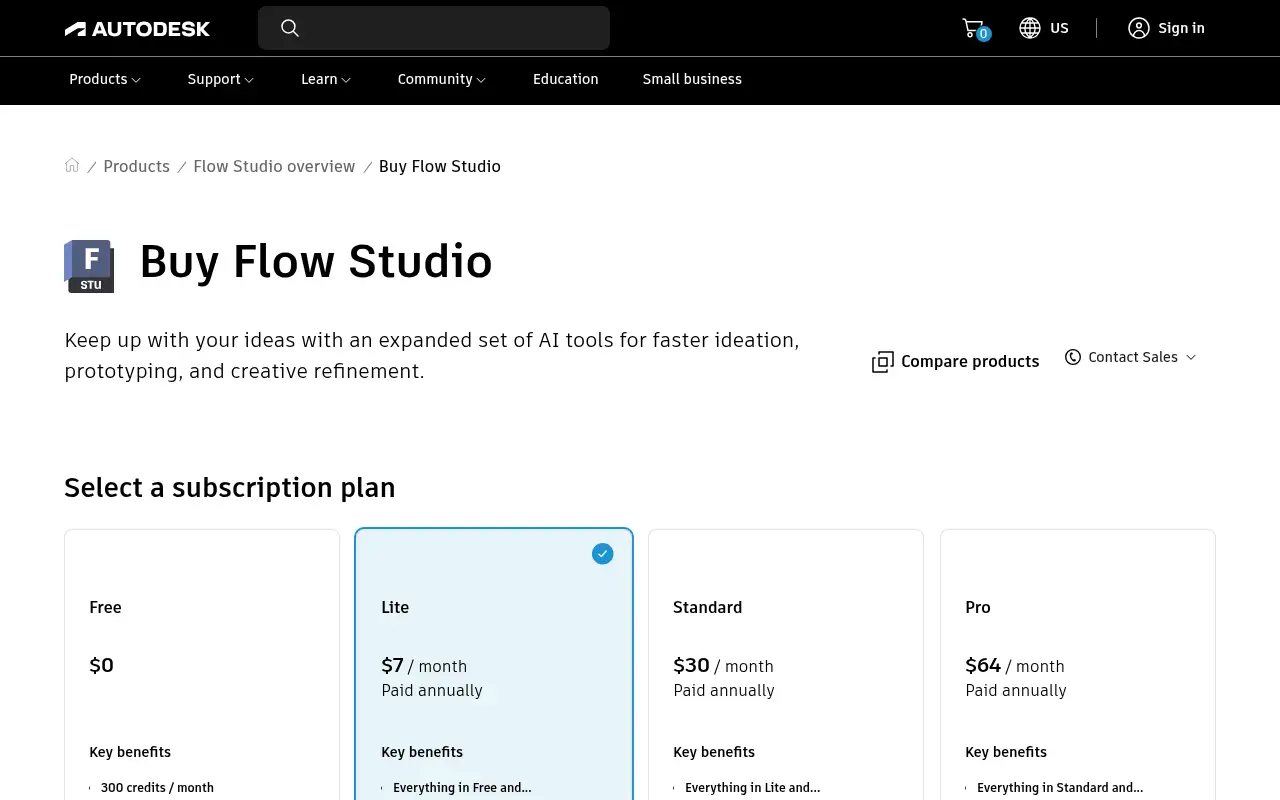
Autodesk lists a Free plan at $0 with 300 credits a month. Paid plans start at $7 a month on a one-year term. Credits do not carry over.
Pricing
Prices checked on the official pricing page.
- Free
-
$0
300 credits a month; 3D Editor and Canvas included
- Lite
-
$7/month on a one-year term ($10 paid monthly)
2,100 credits a month
- Standard
-
$30/month on a one-year term ($45 paid monthly)
6,000 credits a month
- Pro
-
$64/month on a one-year term ($95 paid monthly)
12,000 credits a month
- Enterprise
-
Contact sales
48,000 credits a month
- Credits reset monthly, unused credits do not roll over, and Autodesk says extra credits cannot currently be bought separately.
- Vendors change plans; confirm on the official page before you buy.
In the news: Autodesk Flow Studio MCP: create 3D models inside ChatGPT
Facts
- Access
- Ongoing free plan
- Paid plans from
- $0
- Checked
- Category
- Category: Video tools (48 in the library).
- On the record
- Autodesk reports a Free plan at $0 with 300 credits a month, and says credits refresh monthly and do not carry over.