
Miro: business software for teams, consultants and educators
Official site link, not an affiliate link. We do not have an approved referral link for Miro.
Miro helps you capture meetings and notes by starting with an online whiteboard where teams and AI brainstorm, map processes, run workshops and plan projects. It is best for teams, consultants and educators who plan, diagram and run workshops together. People also use it to make documents and slides. A free plan is available.

What it does
- Infinite canvas with 7,000+ templates
- Docs, Tables, Timelines, Kanban and Slides on the board
- AI for diagrams, tables and summaries on monthly credits
- Timer, voting and private mode for workshops
- MCP connection for Claude, Cursor and Copilot, plus 250+ integrations
Editorial note
Miro is an online whiteboard, which it now calls the Intelligent Canvas. Teams brainstorm with sticky notes, map processes and diagrams, run workshops with timers and voting, and turn results into Docs, Tables, Slides and Kanban boards. AI generates diagrams and summaries, and MCP connects boards to tools like Claude and Cursor.
Who it’s for
- Product and design teams mapping ideas and user journeys
- Consultants and facilitators running workshops
- Remote teams planning projects visually
- Not ideal for: people who need pixel-precise interface design; a design tool fits better.
Key use cases
- Meetings & notes
- Slides & docs
What you can do with it
Miro gives teams an infinite shared canvas. You start from one of 7,000+ templates or a blank board, add notes, shapes and diagrams, and collaborate live or async. Structured formats such as Docs, Tables, Timelines, Kanban and Slides sit on the canvas. AI features generate diagrams, tables and summaries, and MCP lets AI tools read and write board content. Miro reports 250+ integrations including Microsoft, Slack, Google and Adobe.
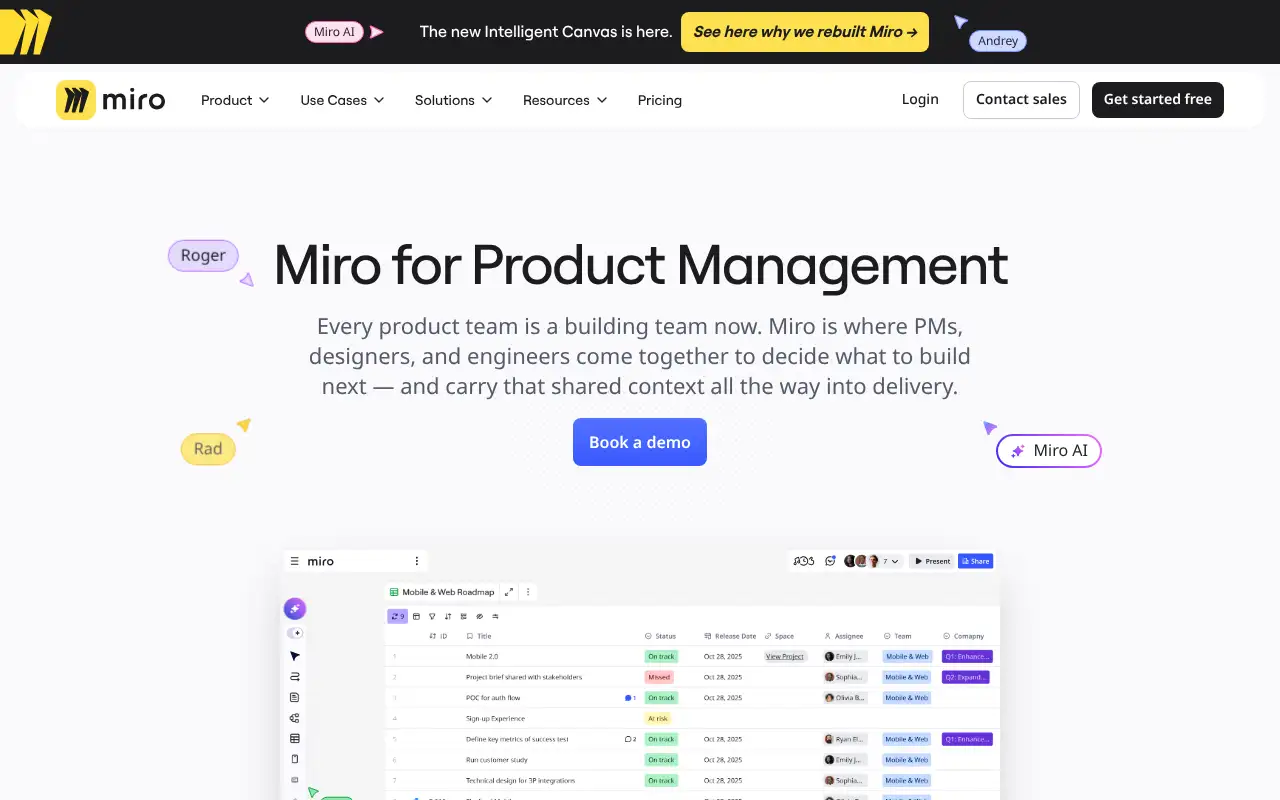
How to use Miro: step-by-step tutorial
Five to eight steps from the account to a first useful result. Where the official guide names a control, the step uses that name. Where it does not, the step stays general.
- Sign up free at miro.com.
- Pick a template such as a brainstorm, flowchart or retrospective.
- Invite teammates by link to work on the board together.
- Use AI to summarize notes or turn them into a diagram or table.
- Upgrade to Starter when you need more than 3 editable boards.
These steps follow the official guide: Miro pricing.
Frequently asked questions
What is Miro used for?
Brainstorming, diagrams and flowcharts, workshops and retrospectives, user journey maps and visual project planning on a shared online canvas.
How many boards does the Miro free plan include?
Miro says you can create and share unlimited boards, but only your three most recent ones stay editable on the Free plan.
Does Miro work with AI tools?
Yes. Miro lists AI for diagrams, tables and summaries, plus MCP to connect tools like Claude, Cursor and Copilot to your boards.
Is Miro free?
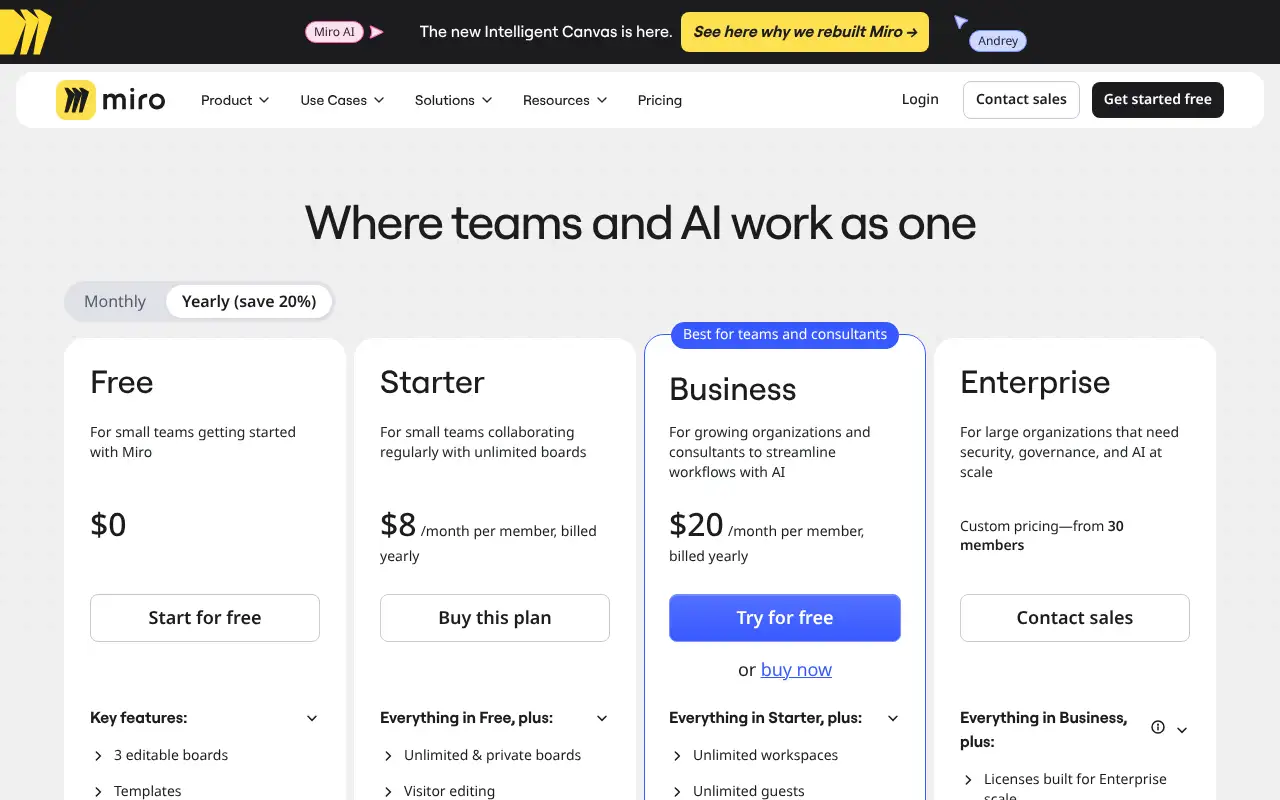
Yes. The Free plan is $0 with 3 editable boards. Starter is $8 per member a month billed yearly.
Pricing
Prices checked on the official pricing page.
- Free
-
$0
3 editable boards, templates, Docs, Tables, Slides and Kanban, AI tools, 250+ integrations
- Starter
-
$8/member/month billed yearly
Unlimited and private boards, visitor editing, high-res exports, timer and voting, 25 AI credits per member, 500 MCP calls a day
- Business
-
$20/member/month billed yearly
Everything in Starter plus unlimited workspaces and more
- Enterprise
-
Contact sales
For large organizations
- The Free plan keeps only 3 boards editable, and AI use is limited by monthly credits.
- Vendors change plans; confirm on the official page before you buy.
Facts
- Access
- Ongoing free plan
- Paid plans from
- $8/member/month billed yearly
- Checked
- Category
- Category: Business and productivity tools (153 in the library).
- On the record
- Miro’s Free plan is $0 with 3 editable boards, 7,000+ templates and 250+ integrations. The Business plan has a free trial.