
monday.com: business software for small teams
Official site link, not an affiliate link. We do not have an approved referral link for monday.com.
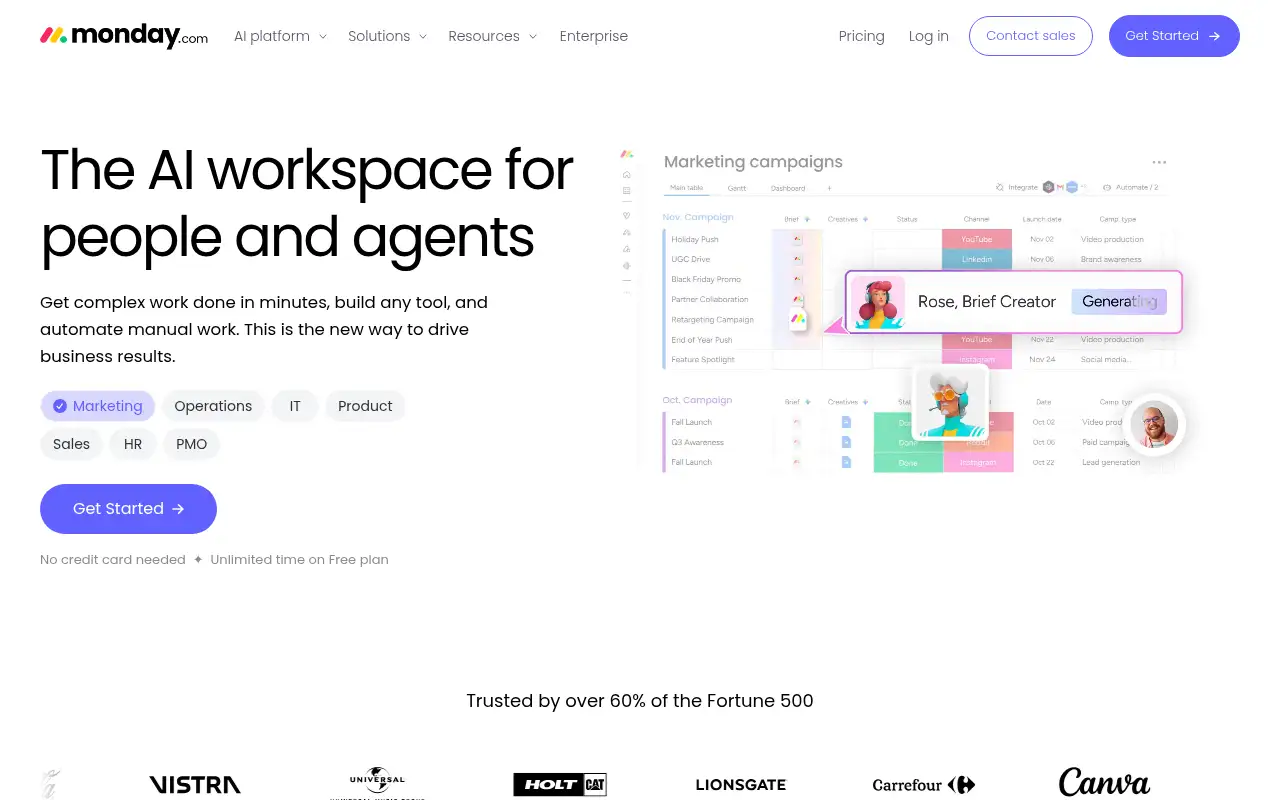
monday.com helps you automate repetitive work by starting with a work management platform with boards, automations, AI agents and dashboards. It is best for small and mid-size teams that want a visual, flexible way to manage projects and workflows. People also use it to capture meetings and notes. A free plan is available.
What it does
- Customizable boards with 200+ templates
- Table, timeline, Gantt and calendar views
- Automations and integrations with monthly action limits
- AI agents, meeting notetaker and Sidekick assistant on AI credits
- Docs, dashboards, guest access and time tracking on higher plans
- ClickUp: all-in-one tasks, docs and goals
- Trello: simple Kanban boards
- Airtable: database-style apps without code
Editorial note
monday.com is a work management platform. Teams track projects and processes on customizable boards, switch between table, timeline, Gantt and calendar views, and automate routine updates. AI features, including agents, a meeting notetaker and the Sidekick assistant, run on monthly AI credits, and dashboards roll up progress.
Who it’s for
- Small teams moving projects out of spreadsheets and email
- Marketing and operations teams running repeatable workflows
- Managers who want dashboards across several projects
- Not ideal for: solo users who only need a simple to-do list.
Key use cases
- Automate work
- Meetings & notes
What you can do with it
monday.com lets teams build boards for any workflow, from marketing campaigns to client onboarding. Each item has columns for owners, status, dates and custom fields, and views turn the same data into timelines, Gantt charts or calendars. Automations and integrations move work along, Docs keep notes next to tasks, and AI tools draft updates, summarize meetings and build workflows. monday CRM and monday dev are separate products on the same platform.
How to use monday.com: step-by-step tutorial
Five to eight steps from the account to a first useful result. Where the official guide names a control, the step uses that name. Where it does not, the step stays general.
- Sign up free at monday.com; no credit card is needed.
- Pick a template or start a blank board for one project.
- Add items, owners, statuses and due dates.
- Invite a teammate and set up one automation, such as a status change notification.
- Try the 14-day Pro trial if you need timelines, automations or private boards.
These steps follow the official guide: monday.com pricing.
Frequently asked questions
What is monday.com used for?
Planning and tracking projects and team workflows on visual boards, with automations, docs, dashboards and AI helpers.
Is monday.com priced per seat?
Yes. Paid plans are priced per seat per month, and monday.com says the final price depends on your billing country.
Does monday.com have AI?
Yes. Paid plans include AI credits each month for features such as AI agents, the Sidekick assistant, a meeting notetaker and AI columns.
Is monday.com free?
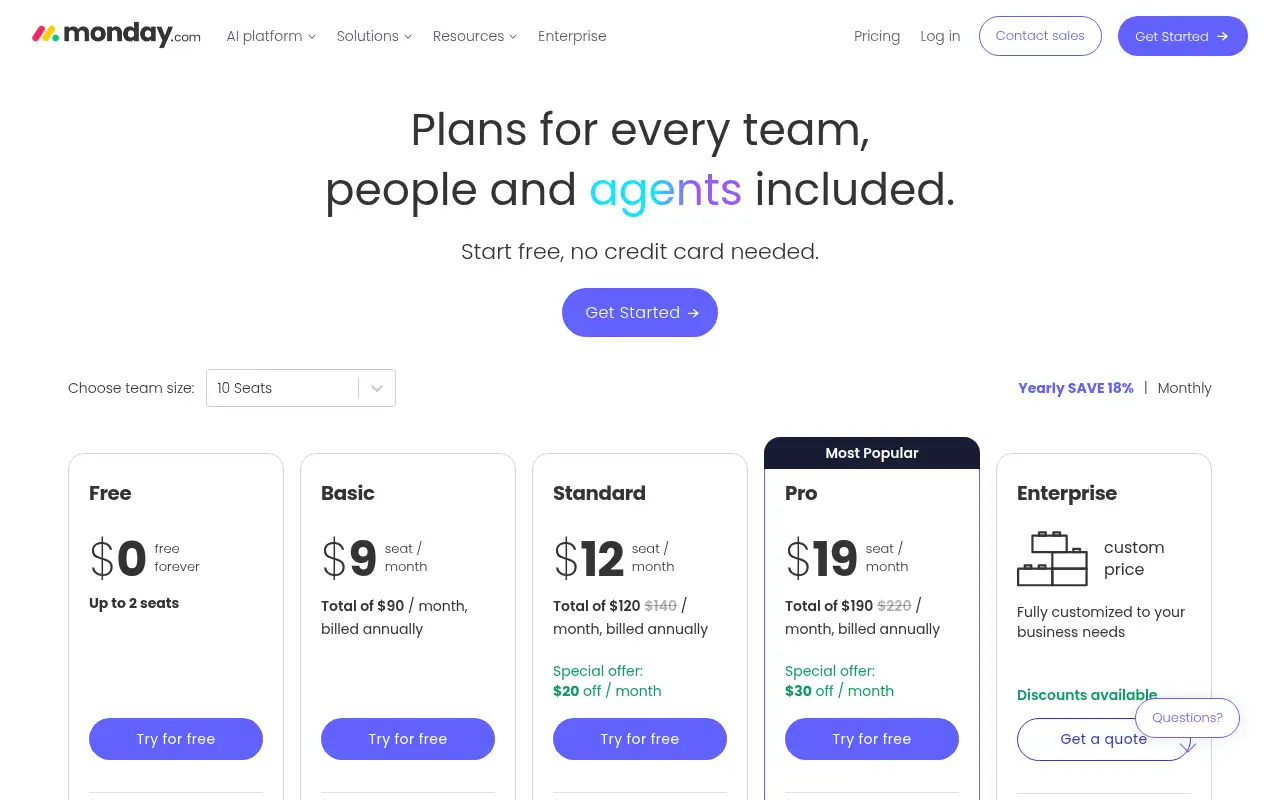
Yes. The Free plan covers up to 2 seats and 3 boards. Paid plans start at $9 per seat a month billed annually.
Pricing
Prices checked on the official pricing page.
- Free
-
$0, up to 2 seats
Up to 3 boards and 3 Docs, 200+ templates, 8 column types, iOS and Android apps
- Basic
-
$9/seat/month billed annually (shown as $90/month for 10 seats)
Unlimited items and free viewers, Basic AI with 1,000 AI credits a month
- Standard
-
$14/seat/month billed annually (special offer shown at $12)
Automations and integrations (250 actions/month), timeline, Gantt and calendar views, guest access, 2,000 AI credits
- Pro
-
$22/seat/month billed annually (special offer shown at $19)
Private boards, time tracking, 25,000 automation actions/month, AI workflow builder, 3,000 AI credits
- Enterprise
-
Custom
Enterprise security and governance, portfolio and resource management, enterprise support
- The Free plan is limited to 2 seats and 3 boards, automations are capped by monthly actions, and seat pricing adds up for larger teams.
- Vendors change plans; confirm on the official page before you buy.
Facts
- Access
- Ongoing free plan
- Paid plans from
- $9/seat/month billed annually
- Checked
- Category
- Category: Business and productivity tools (153 in the library).
- On the record
- monday.com has a Free plan for up to 2 seats with no time limit. It also offers a 14-day free trial of the Pro plan.