
Surfer SEO: AI writing for small teams
Official site link, not an affiliate link. We do not have an approved referral link for Surfer SEO.
Surfer SEO helps you write and edit text by starting with a content optimization tool that guides you as you write pages for Google and AI search answers. It is best for content marketers, SEO writers and agencies who publish articles to grow organic traffic. People also use it to run marketing and follow-ups.

What it does
- Content editor with SEO guidelines and a content score
- 1-click optimization of existing pages
- AI Visibility tracking across ChatGPT, Gemini and AI Overviews
- Internal linking, content gap and cannibalization reports
- Plagiarism checker, rank drop detection and MCP
Editorial note
Surfer is a content optimization platform for search and AI answers. Its editor scores your draft against what ranks and suggests terms, structure and length, and it can optimize existing pages in one click. Newer tools track how ChatGPT, Gemini and AI Overviews mention your brand, and connect to AI tools through MCP.
Who it’s for
- Content marketers publishing blog posts for organic traffic
- SEO writers and freelancers optimizing client articles
- Agencies tracking clients’ visibility in AI answers
- Not ideal for: people writing only occasional posts who do not track search performance.
Key use cases
- Write & chat
- Marketing & CRM
What you can do with it
Surfer helps you plan, write and update content that search engines and AI models pick up. You create or optimize documents with SEO guidelines, the Surfy assistant and a humanizer, find content gaps and internal links, and catch cannibalization and rank drops. AI Visibility tracking follows prompts across ChatGPT, Gemini and Google AI Overviews and shows mention gaps and brand sentiment.
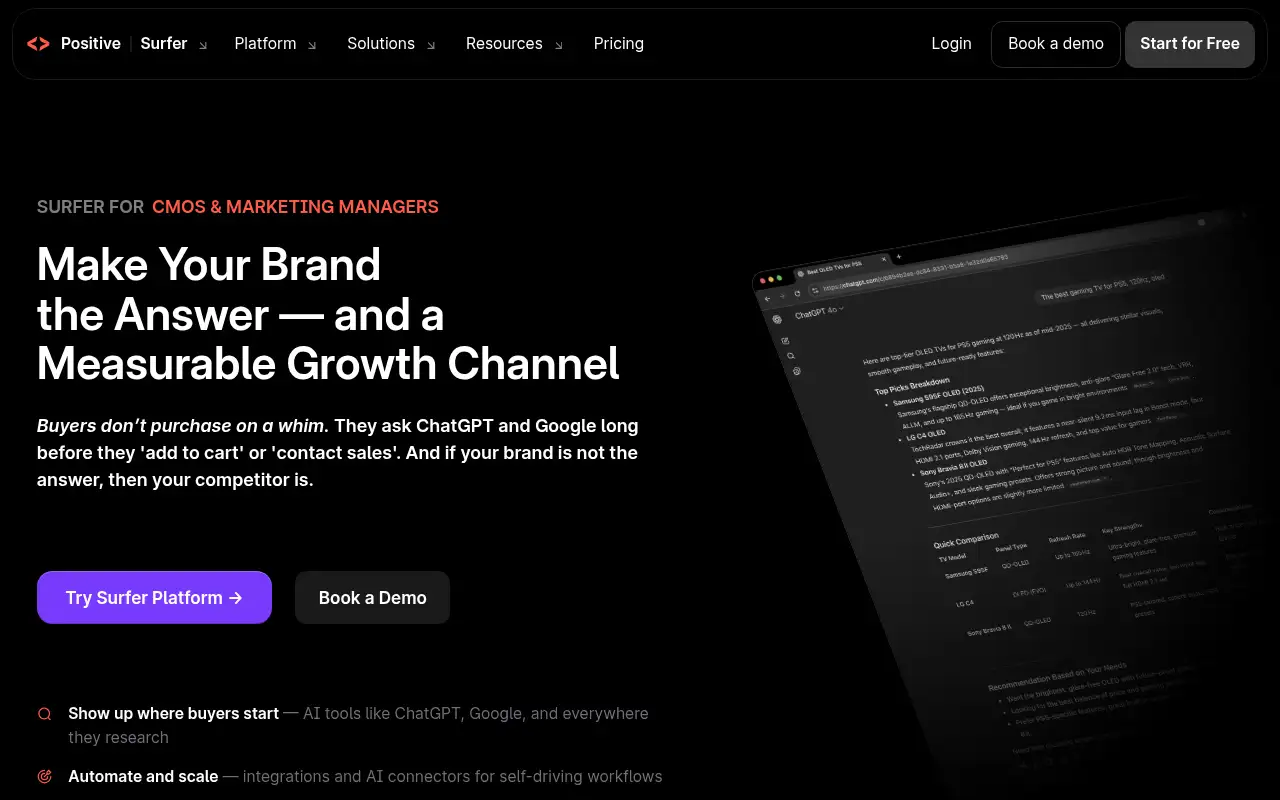
How to use Surfer SEO: step-by-step tutorial
Five to eight steps from the account to a first useful result. Where the official guide names a control, the step uses that name. Where it does not, the step stays general.
- Open surferseo.com and create an account. Read the plan list on the official site before you pay.
- Open surferseo.com/pricing and pick a plan that fits your volume.
- Connect your site and choose a target keyword.
- Write or paste a draft into the editor and follow the guidelines.
- Use internal linking and gap reports to plan your next pages.
- Add AI prompts to track how AI answers mention your brand.
These steps follow the official guide: Surfer pricing.
Example inputs
Adapt these. They are examples of what to ask for, not a button name, unless the steps above already use that name.
A first request: a content optimization tool that guides you as you write pages for Google and AI search answers. Keep it short enough to review in one pass.Name the audience, the format you need, and one fact that must stay accurate.Related
Other tools for this job
-
Acrobat AI Assistant
Adobe’s AI assistant for asking questions of PDFs and editing them, sold with Acrobat plans.
-

ActiveCampaign
Email marketing and automation, priced by how many contacts you have, with pipelines and SMS as add-ons.
-
Adcreative AI by Semrush
AdCreative by Semrush generates conversion-focused ad copy and product visuals. The homepage offers a 7-day free trial.
-
Adobe Content Credentials
Adobe Content Authenticity Inspect Add Chrome extension Sign your work with Content Credentials Content Creden
-

Agent Opus
Turn an idea, script or audio file into a finished AI video.
Frequently asked questions
What is Surfer SEO used for?
Writing and optimizing web content so it ranks in Google and gets cited in AI answers, plus tracking AI visibility for your brand.
Does Surfer track AI search?
Yes. Plans include AI prompt tracking across ChatGPT, Gemini, AI Overviews and other models, with mention gaps and sentiment.
How many documents can I create in Surfer?
Discovery lists 120 documents, Standard and Pro 360, and Peace of Mind unlimited, subject to Surfer’s fair use terms.
Is Surfer free?
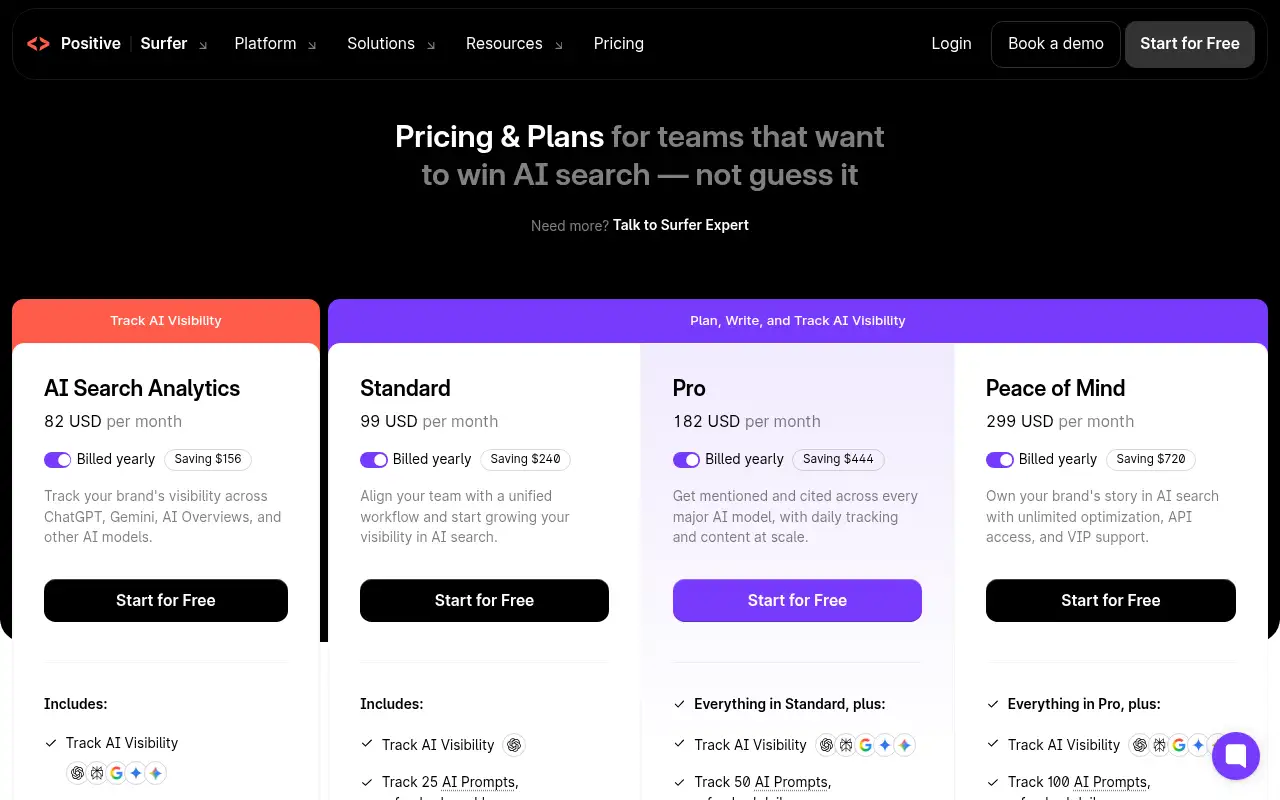
Surfer shows Start for Free buttons but does not spell out a free plan. Paid plans start at $82 a month billed yearly.
Pricing
Prices checked on the official pricing page.
- Discovery
-
See pricing page (billed yearly)
AI SEO guidelines, Surfy assistant and Humanizer, 120 documents, 10 tracked pages
- AI Search Analytics
-
$82/month billed yearly
Track 50 AI prompts daily across ChatGPT, Gemini and AI Overviews, 5 brand spaces, MCP
- Standard
-
$99/month billed yearly
360 documents, 1-click content optimization, 25 AI prompts weekly, plagiarism checker, rank drop detection
- Pro
-
$182/month billed yearly
50 AI prompts daily, internal linking, content gaps, custom voices, cannibalization report
- Peace of Mind
-
$299/month billed yearly
Unlimited documents, 100 AI prompts daily, API access, dedicated success manager
- Prices are billed yearly, document counts are capped below the highest plan, and what free access includes is not stated.
- Vendors change plans; confirm on the official page before you buy.
Facts
- Access
- See official pricing
- Paid plans from
- $82/month billed yearly
- Checked
- Category
- Category: Writing and content tools (41 in the library).
- On the record
- Surfer’s pricing page shows Start for Free buttons on every plan but does not say what free access includes, so check before you sign up.