Turn a help article into a how-to video: step-by-step guide
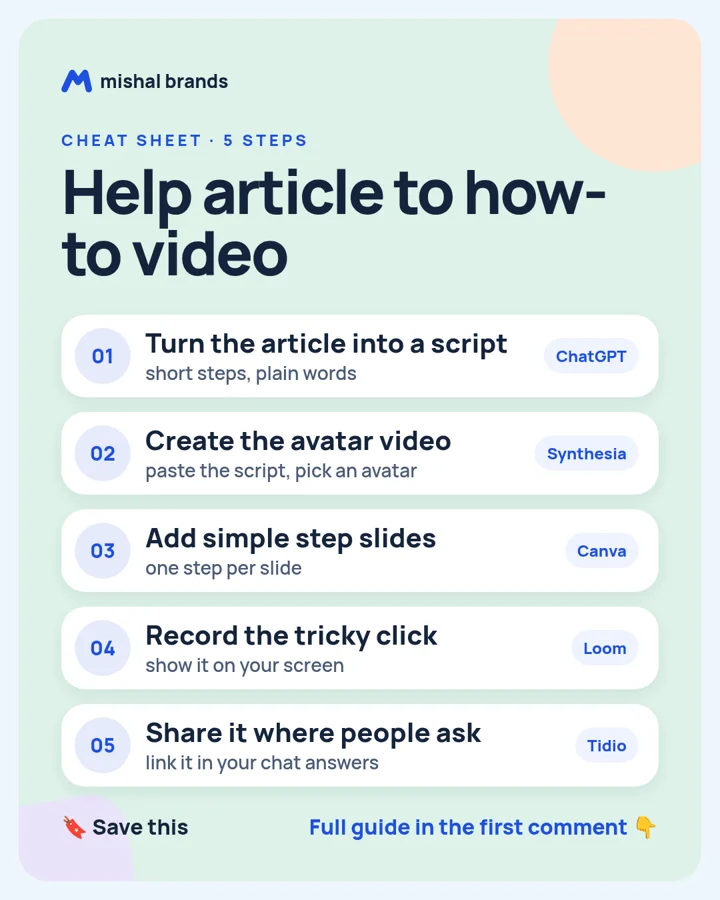
Turn the article into a short script with ChatGPT, make the avatar video in Synthesia, add step slides from Canva, record the one tricky click in Loom, and share the video in your Tidio chat replies.
Updated· By Mishal Brands Editorial
Why this works
Synthesia's pricing page lists a free plan with 10 video minutes a month, so you can make your first videos for $0.
Suggested workflow. These steps are a workflow for one person with off-the-shelf tools. We name tools as examples.
Save the cheat sheet. The full steps are below.
The steps
STEP 1 · ChatGPT
Turn the article into a script
What to do
Paste your help article and ask for a 2-minute script: one line per step, plain words, a one-line recap at the end.
Plan note: Free plan for everyone. (per its official pricing page; check before you buy).
For the one step people get stuck on, record a short screen clip in Loom and add it in.
Plan note: Starter is a free plan with no end date; storage is capped at 25 videos and screenshots and recordings at 5 minutes. (per its official pricing page; check before you buy).
Tip
Loom's free Starter plan caps recordings at 5 minutes.
Add the video link to your saved replies in Tidio, so the chat sends it when people ask that question.
Plan note: Tidio says a 7-day free trial needs no card, and accounts drop to the Free plan afterwards unless you upgrade. (per its official pricing page; check before you buy).
Tip
Track which questions come up most, and make those videos first.
This guide is written by Mishal Brands Editorial. Plan details come from each vendor's official pricing page as listed on our tool pages. Where we are in an affiliate program, the link is marked and disclosed.
Free pack: prompts for better AI images
A short, copyable set of image prompts for product shots, portraits, thumbnails, logos, and ads. These are starting points you can adapt — not a promise of any result.