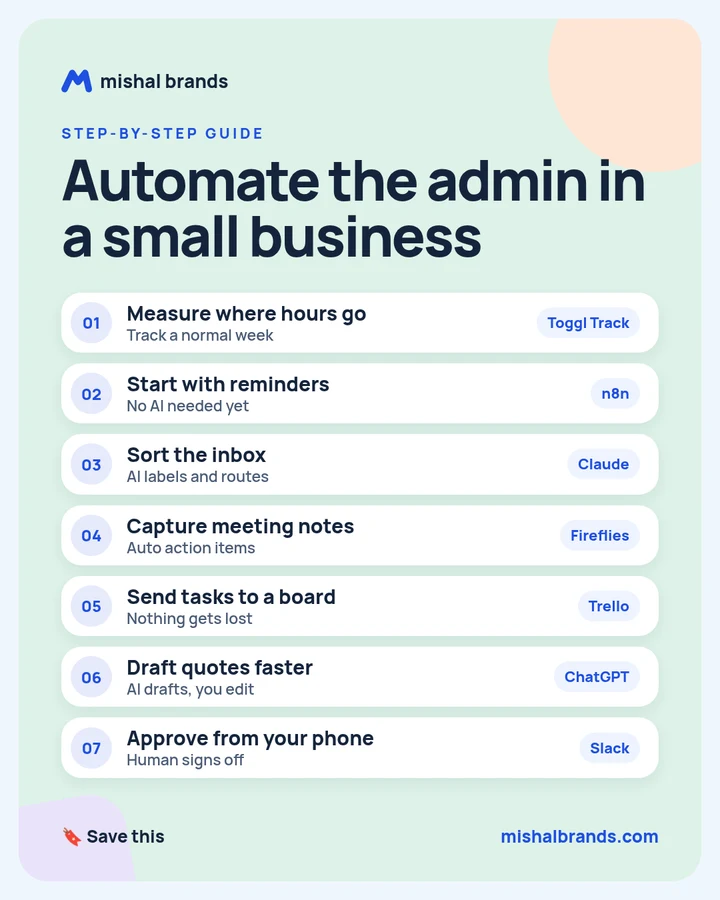
Full guide · 7 steps · example workflows and prompts
Automate the admin in a small business: step-by-step guide
Measure a normal week first, start with invoice reminders that need no AI, then add AI inbox sorting, meeting notes, a task board and quote drafts. A person approves anything a customer sees.
Updated· By Mishal Brands Editorial
What did the consultant report?
Consultant-reported, client unnamed. A consultant reports on shuvogt.com (Oct 17, 2026) that a 9-person B2B services firm cut admin from 21 to 5 hours a week across 4 workflows. The figures were measured over a 4-week baseline and a 4-week period after launch. The consultant reports a further 4 hours came later, as the team stopped double-checking the system.
Workflow
Before (hrs/wk)
After (hrs/wk)
Saved
Email triage
10
2
8
Quote drafting
4
1.5
2.5
Meeting notes and follow-ups
4
1
3
Invoice chasing
3
0.5
2.5
Total
21
5
16
Hours as reported in the case study. Time to the first invoice reminder also dropped from 11 days to 2, the consultant reports.
Suggested workflow. The case study names n8n but not the other tools. Toggl Track, Claude, Fireflies, Trello, ChatGPT and Slack are our suggestions for each step.
Save the cheat sheet. The full steps are below.
What are the 7 steps?
STEP 1 · Toggl Track
Measure where hours go
What to do
Track one normal week before you automate anything. Toggl Track’s site lists automated time tracking, an online timer and timesheet reports, with a free 30-day trial and no credit card required.
Example
Make one project per admin task: inbox, quotes, meeting notes, invoices. At the end of the week, sort by hours. The biggest number is your first target, unless an easy win is close behind.
Tip
Watch how people actually work, too. The consultant in the case study spent two days watching the team, not just asking.
Start with invoice reminders. They need no AI, just a schedule and a template. In the case study, this was the first workflow built, and it shipped in three days.
Example
Example n8n invoice-reminder flow:
Schedule trigger: every weekday at 9:00.
Read unpaid invoices from your sheet or accounting export.
Filter: due date more than 3 days ago, and no reminder in the last 7 days.
Send email from a template with the invoice number, amount and payment link.
Log the date sent back to the sheet.
Tip
Send the first few reminders to yourself, then switch to customers.
Let AI label incoming email and route it to the right person. In the case study, the classifier was built from 300 past emails sorted by hand into six categories.
Example
Inbox-labeling prompt
Label this email with exactly one category: [quote request], [billing], [scheduling], [support], [vendor], [other]. Reply with the label, then one line on why. Classify on the newest message only, and use earlier messages as context. If you are not sure, answer [other]. Email: [paste email]
Tip
Give the prompt 10 to 20 real examples per category from your own inbox. The case study found your own examples beat clever wording.
Record and transcribe calls, pull out the action items, and have a person check the list before it goes anywhere. Our tool page lists a free forever plan with unlimited transcription and storage capped at 400 minutes per team. See Fireflies pricing.
Let AI draft quotes from your template and similar past jobs, then edit and send them yourself. In the case study, the owner still rewrote about 30% of each draft.
Example
Quote draft prompt (any chat AI)
Draft a quote using only the services and wording in this template: [template]. Client: [name and need]. Similar past jobs: [2-3 past quotes]. Do not add any service that is not in the template. Mark anything you are unsure about with [CHECK].
Tip
Never let AI send pricing. In the case study, the drafter once invented a line item, and the owner caught it.
Send anything a customer will see to a person for sign-off, in a place they already check on their phone. Slack’s site lists Workflow Builder and automated approvals.
Example
The quote draft lands in a #approvals channel with Approve and Edit buttons. Approve sends it, and Edit opens the draft.
Tip
In the case study, approving from a clumsy mobile browser was the weakest link. A simple messaging-app approval step fixed adoption.
Pricing decisions. Too much context lives in the owner’s head.
Client check-in calls. That is the relationship. Don’t hand it to a bot.
Anything sent to a customer without review. Drafts, not sends.
This follows the case study’s own list of what was deliberately left manual.
The honest part
The first big win used no AI. It was scheduled invoice reminders.
The AI made mistakes. It once invented a line item in a quote, and it misread long forwarded email chains. People review everything customer-facing.
It took time. About 4 weeks of part-time work, the consultant reports, and weeks more before the team trusted it.
This is one consultant’s report about one unnamed client. Results vary.
Frequently asked questions
Do I need AI to automate admin?
Not to start. In the case study, invoice reminders used no AI, shipped first, and the consultant estimates they returned about 4 hours a week on their own.
Which tool should I use for automation, n8n or Zapier?
Either can run the reminder flow. The case study used n8n. See our n8n and Zapier pages to compare.
How long does this take to set up?
The consultant reports about 4 weeks of part-time work for 4 workflows, in this order: reminders, inbox, meeting notes, then quotes.
Will this replace staff?
In the case study, no one was laid off. The freed hours went into client follow-up and billable work.
What hours did the case study report?
From 21 to 5 hours a week across 4 workflows, measured over 4 weeks before and after. That is consultant-reported, for an unnamed client.
This guide is written by Mishal Brands Editorial. Tool features come from each vendor’s official site or our tool pages, and the case figures come from the linked source, labelled by who reported them. We name tools as examples, and the steps are a suggested workflow. Where we are in an affiliate program, the link is marked and disclosed.
Free pack: prompts for better AI images
A short, copyable set of image prompts for product shots, portraits, thumbnails, logos, and ads. These are starting points you can adapt — not a promise of any result.